


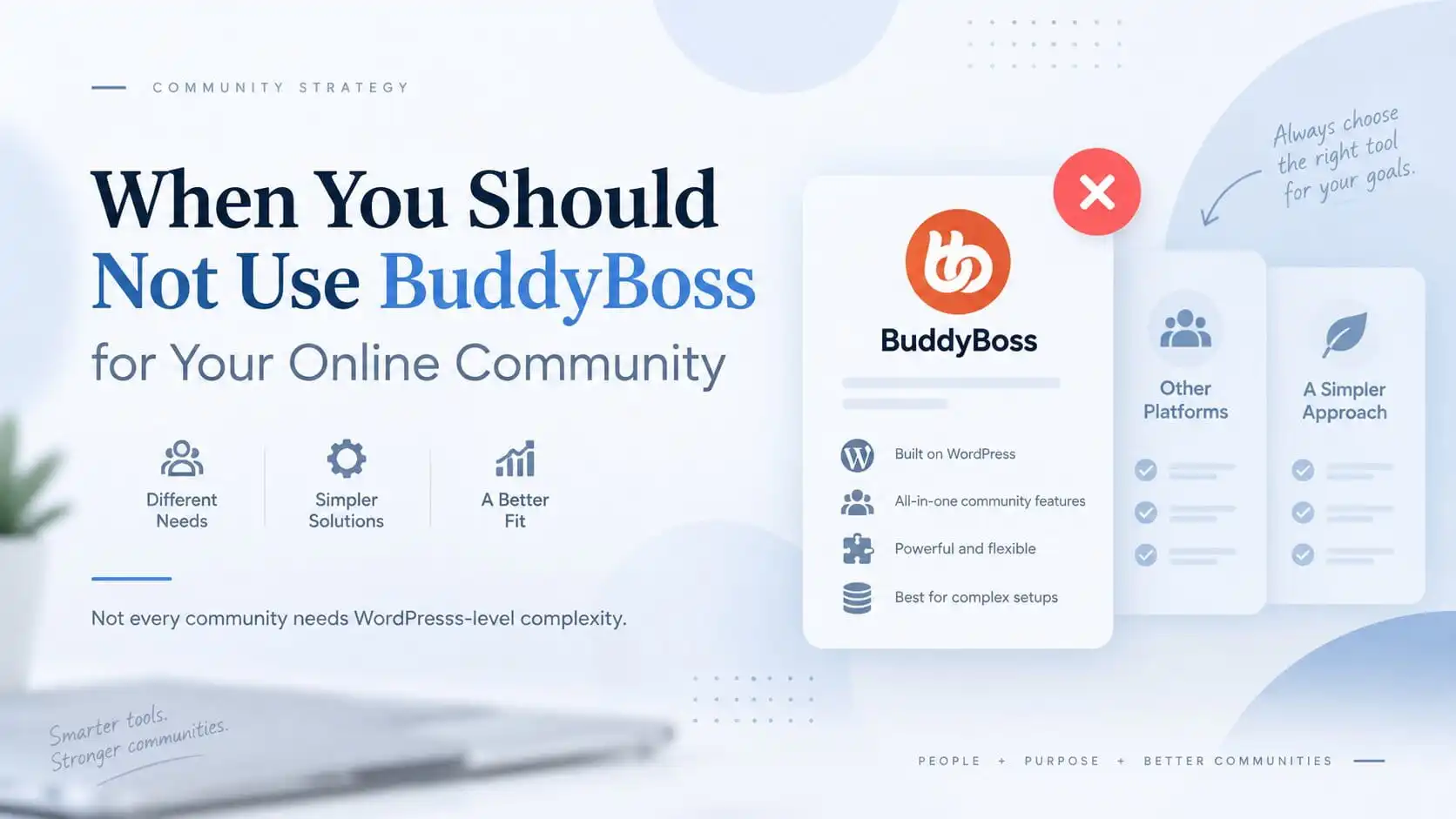
Knowing when not to use BuddyBoss is just as important as knowing when it is a strong fit.
BuddyBoss is a strong platform when you need a serious WordPress-based community with profiles, groups, activity feeds, messaging, memberships, and learning integrations.
But that does not mean it is the right choice for every community.
Sometimes BuddyBoss gives you exactly the ownership and flexibility the business needs.
Sometimes it creates more setup, maintenance, and technical responsibility than the business actually wants.
That is why I would not ask:
Is BuddyBoss a good platform?
I would ask:
Does the business need the level of control, customization, and WordPress integration that BuddyBoss is designed to provide?
If the answer is no, a simpler managed community platform may be the better decision.
The Short Answer
I would usually avoid BuddyBoss when the business prioritizes:
- the fastest possible launch
- minimal technical maintenance
- a very simple community model
- a fully managed SaaS experience
- fewer moving parts
- no meaningful need for deep WordPress, LMS, or membership integration
I would take BuddyBoss much more seriously when the community needs to connect deeply with WordPress, LearnDash, memberships, WooCommerce, custom workflows, and branded user experiences.
BuddyBoss itself is built around WordPress and provides member profiles, social groups, activity feeds, private messaging, notifications, and integrations with LMS and membership tools.
That flexibility is valuable.
But flexibility is only an advantage when the business actually needs it.
In practical terms, when not to use BuddyBoss usually comes down to whether the business actually benefits from owning and maintaining a flexible WordPress community stack.
When Not to Use BuddyBoss: Start With the Business Model
This is one of the clearest cases.
If the business wants:
We need a paid community live quickly with discussions, memberships, events, and basic learning.
then a hosted SaaS platform may get there faster.
Platforms such as Circle already combine community, courses, events, payments, subscriptions, memberships, and access control in one hosted environment.
Mighty Networks also combines community, courses, events, memberships, payments, and mobile access inside its hosted platform.
That does not make those platforms “better.”
It means they remove a lot of infrastructure decisions.
With BuddyBoss, you are still working inside WordPress.
That means choosing and managing:
- hosting
- plugins
- updates
- backups
- security
- integrations
- caching
- email delivery
- memberships
- checkout
- customizations
For a business that values speed more than ownership or extensibility, that may be unnecessary overhead.
The practical question
If the business says:
I want to be live in days, not weeks, and I do not want to think about WordPress maintenance.
I would probably not start with BuddyBoss.
Do Not Use BuddyBoss If You Do Not Want to Maintain WordPress
BuddyBoss is powerful because it sits inside WordPress.
That is also its responsibility.
A BuddyBoss platform may involve:
- WordPress core
- BuddyBoss Platform
- BuddyBoss Theme
- membership plugins
- LearnDash or Tutor LMS
- WooCommerce
- custom code
- automation tools
- performance configuration
- third-party integrations
Each component can be perfectly reasonable on its own.
The challenge is operating the whole stack over time.
If the business wants:
One vendor handles hosting, software updates, infrastructure, community features, billing, and product changes.
then a SaaS platform can be easier operationally.
BuddyBoss gives you more control over the stack.
A hosted platform gives you less control, but also less responsibility.
That trade-off needs to be deliberate.
Do Not Use BuddyBoss If Your Community Is Very Simple
This is another common overbuild.
Suppose the community only needs:
- member discussions
- announcements
- simple groups
- basic profiles
- one paid membership
No LMS.
No corporate training.
No custom access logic.
No unusual integrations.
No need for advanced WordPress ownership.
BuddyBoss can absolutely handle this.
The better question is:
Why do you need BuddyBoss to handle this?
If a simpler SaaS product already covers the business model, then installing a large WordPress community stack may not create enough value to justify the complexity.
This is especially true for early-stage creators testing whether a paid community will work at all.
Validate the business first.
Add infrastructure when the business earns the need for it.
Do Not Use BuddyBoss If You Do Not Need Deep LMS or Membership Integration
BuddyBoss becomes much more compelling when learning and community genuinely need to operate together.
For example:
LearnDash course enrollment → Private BuddyBoss group → Member profile shows course progress → Course activity appears in the community
BuddyBoss supports LearnDash integrations where course progress, course activity, certificates, and group relationships can appear inside the community experience.
That is meaningful when community is part of the learning product.
But if the business does not need any of this, then BuddyBoss loses one of its strongest strategic advantages.
A community platform does not become better simply because it can connect to an LMS.
The integration needs to solve a real business problem.
If you are deciding whether community, LMS, memberships, and access should live together, I would first map the LMS and community architecture before choosing the platform.
Do Not Use BuddyBoss If the Team Wants Zero Infrastructure Responsibility
This is slightly different from maintenance.
Some businesses simply do not want to own infrastructure decisions.
They want:
- predictable monthly pricing
- managed hosting
- no plugin updates
- no server configuration
- no theme compatibility issues
- no WordPress troubleshooting
- one product support team
That is a valid business preference.
Hosted community platforms are designed around that model.
For example, Circle currently bundles community, courses, memberships, subscriptions, payments, website tools, live features, and analytics into one hosted product.
That convenience comes with trade-offs in platform control and architecture.
But for some businesses, convenience is the more important requirement.
Use BuddyBoss When… / Avoid BuddyBoss When…
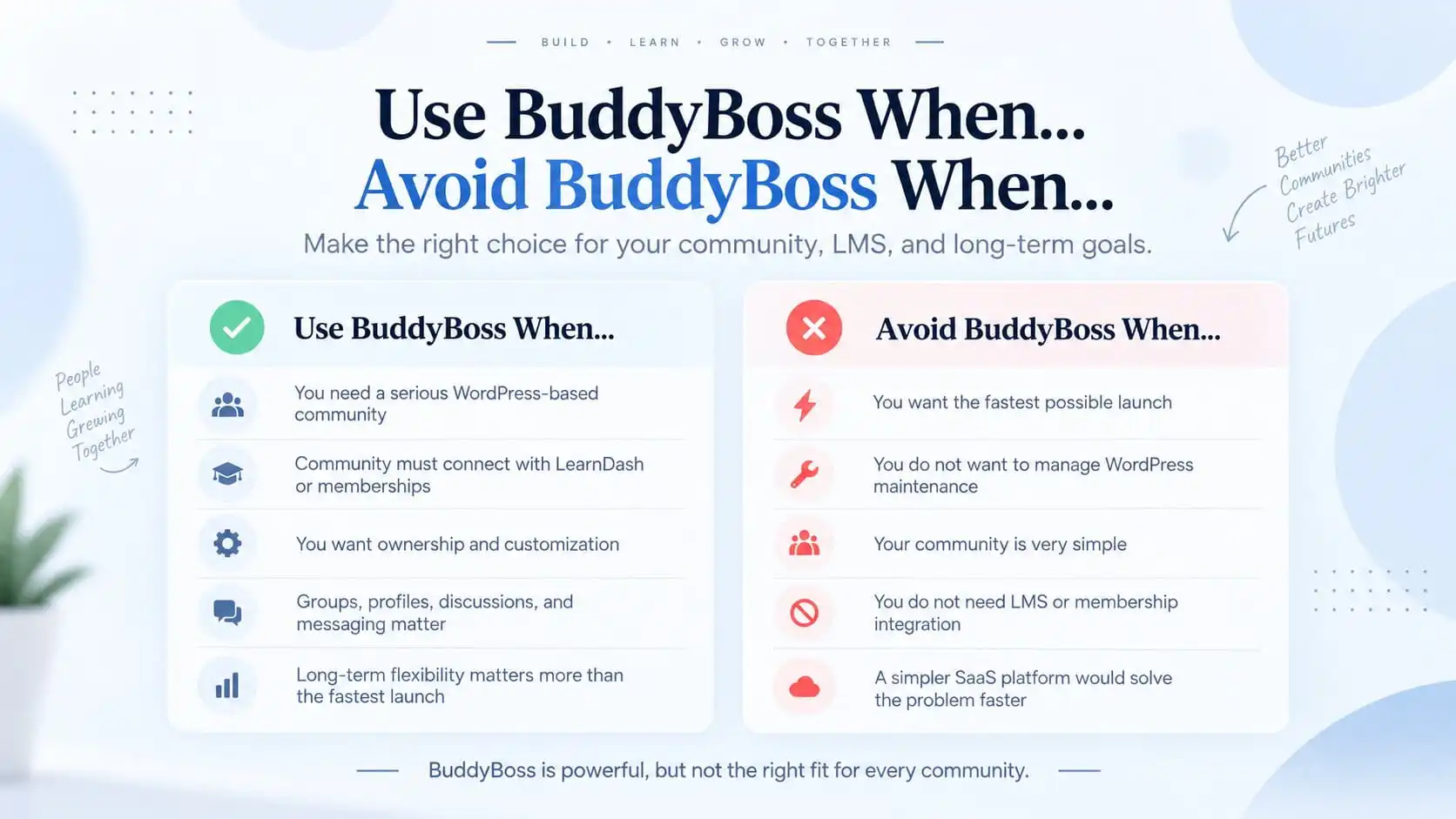
This is how I would make the decision.
Use BuddyBoss when:
- community is part of a larger WordPress platform
- LearnDash or Tutor LMS needs to connect deeply with community
- memberships need custom access rules
- WooCommerce is already important to the business
- ownership and control matter
- the experience needs significant customization
- the platform is expected to evolve over several years
- custom integrations are likely
Avoid BuddyBoss when:
- launch speed matters more than customization
- the business does not want WordPress maintenance
- the community is very simple
- there is no real LMS or membership integration need
- the team wants a fully managed SaaS experience
- the business wants minimal technical ownership
BuddyBoss is not a bad choice in the second group.
It is simply more platform than the business may need.
Ownership Is One of BuddyBoss’s Strongest Reasons to Exist
One of BuddyBoss’s clearest advantages is control.
Because the platform runs on WordPress, the business can control:
- hosting
- plugins
- data
- custom development
- integrations
- branding
- monetization architecture
BuddyBoss itself emphasizes control over privacy, users, data, features, and monetization.
That matters when the community is a strategic business asset.
For example:
A professional training company expects the platform to run for five years, integrate with its LMS, support custom corporate workflows, and eventually connect with CRM and mobile systems.
In that case, ownership becomes important.
Compare that with:
A creator wants a private discussion community around one coaching program.
Those are very different requirements.
I would not recommend the same architecture for both.
Customization Is Valuable Only If You Will Use It
BuddyBoss gives you much more room to customize the experience than many managed platforms.
That can include:
- profile structure
- group behavior
- access controls
- navigation
- workflows
- LMS integration
- WooCommerce
- custom plugins
- reporting
- automation
BuddyBoss Pro also includes access controls over activities such as messaging, group access, directories, profiles, and other community features.
That is powerful.
But if the business never plans to use that flexibility, it should not pay for the complexity just because the option exists.
This is an important distinction:
Potential flexibility is not the same as business value.
BuddyBoss vs Simpler SaaS Community Platforms
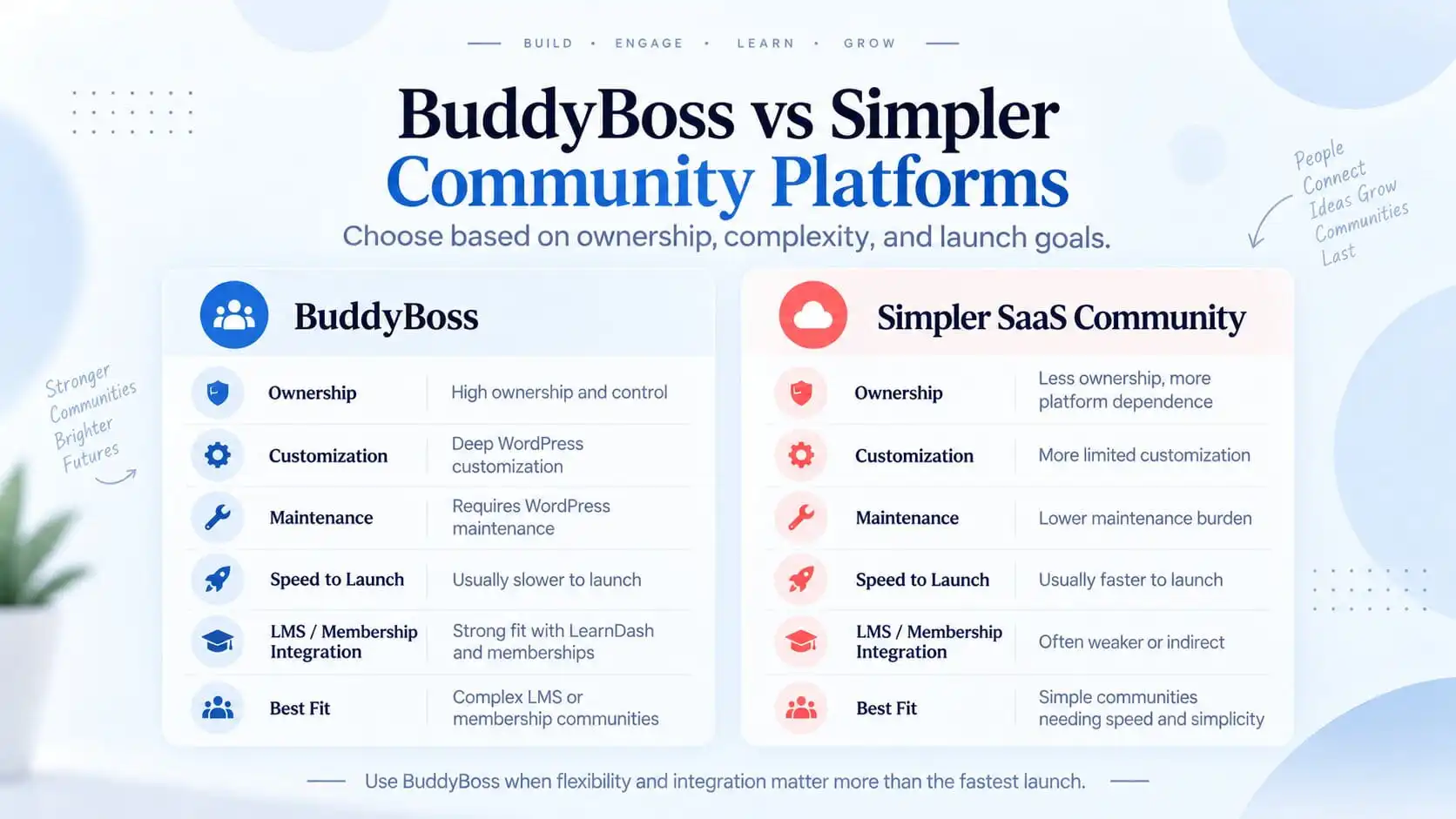
The real trade-off here is control versus operational simplicity.
BuddyBoss gives the business more ownership over the platform, deeper WordPress customization, and much more freedom to connect the community with LearnDash, memberships, WooCommerce, and custom workflows.
That flexibility comes with responsibility.
Hosting, updates, performance, integrations, security, backups, and long-term maintenance still need to be managed properly.
A hosted SaaS community platform takes more of that responsibility away from the business.
Setup is usually faster, infrastructure is managed for you, and there are fewer technical decisions to make before launch.
The trade-off is that you are building inside someone else’s platform and within the customization, integration, and pricing model that platform provides.
So I would not frame the decision as:
BuddyBoss vs SaaS: which is better?
I would frame it as:
Does this business benefit enough from ownership and flexibility to justify managing a WordPress-based platform?
For a simple community that needs to launch quickly, this is one of the clearest situations when not to use BuddyBoss.
For a community that is tightly connected to courses, memberships, commerce, or custom business workflows, that extra control can become much more valuable.
Platforms such as Circle and Mighty Networks can be attractive when the business values faster setup, managed infrastructure, and a more consolidated operating model.
BuddyBoss becomes more compelling when the community is part of a broader WordPress system and the business needs deeper control over how learning, memberships, payments, and community access work together.
The right choice depends less on which platform has the longest feature list and more on which trade-off fits the business model you are actually building.
Do Not Choose BuddyBoss Just Because You Need a Community
This sounds obvious, but it is one of the most important points.
A community is a business requirement.
BuddyBoss is one implementation option.
The sequence should be:
Business model → Community requirements → Access and monetization rules → Integration requirements → Platform choice
Not:
Install BuddyBoss → Figure out what to do with it later
If the business already knows it needs:
- LearnDash
- memberships
- WooCommerce
- custom workflows
- BuddyBoss social groups
- a branded WordPress experience
then BuddyBoss may be a very strong fit.
If none of those requirements exist yet, I would be more cautious.
When BuddyBoss Does Make Sense
I would lean toward BuddyBoss when the community is not a separate product.
It is part of a broader digital platform.
For example:
Training academy
LearnDash manages courses.
BuddyBoss manages student interaction.
Memberships manage entitlement.
WooCommerce manages transactions.
Professional membership platform
Membership determines access.
BuddyBoss provides community.
LearnDash provides continuing education.
Corporate learning community
LearnDash Groups manage training.
BuddyBoss Groups provide peer discussion.
Client managers need reporting.
Coaching platform
Members receive:
- courses
- community
- private content
- coaching resources
events
In these cases, BuddyBoss can become a valuable part of the product architecture rather than just another social plugin.
If this is the kind of platform you are building, the BuddyBoss development architecture should be planned together with the membership and LMS layers.
Cost Should Be Evaluated Beyond the Licence
BuddyBoss often gets compared with SaaS platforms purely on licence price.
That comparison is incomplete.
A WordPress-based BuddyBoss platform may also require:
- hosting
- memberships
- LMS
- premium plugins
- maintenance
- development
- backups
- security
- performance work
BuddyBoss itself now publishes cost comparisons that include its licence and hosting while acknowledging that paid memberships or courses may require additional plugins.
SaaS platforms may instead have:
- predictable subscription fees
- plan limits
- transaction fees
- platform-specific pricing
- upgrade thresholds
For example, Circle charges platform transaction fees on paywall payments in addition to payment processor fees, depending on the plan.
So I would compare:
three-year ownership cost
not:
first-year licence cost
That gives a much more useful business picture.
My Recommendation
BuddyBoss is a strong choice when the business genuinely needs:
- WordPress ownership
- deep customization
- LMS integration
- memberships
- community
- long-term extensibility
One of the clearest cases when not to use BuddyBoss is when the real requirement is simply:
We need a private online community and we want it live quickly with as little technical management as possible.
In that situation, a simpler managed platform may be the better decision.
The rule I would use is:
Choose BuddyBoss when flexibility and integration matter more than the fastest launch.
Choose a simpler SaaS platform when speed, convenience, and low technical responsibility matter more than deep control.
Before choosing either direction, I would answer:
- What does the community actually need to do?
- Is an LMS involved?
- Are memberships involved?
- Does WooCommerce already matter?
- Is ownership important?
- How much customization is really required?
- Who will maintain the platform?
- How quickly does it need to launch?
- Is this a temporary community or a long-term business asset?
Once those answers are clear, the platform decision becomes much easier.
Planning a BuddyBoss Community?
The expensive mistake is not choosing the “wrong” community plugin.
It is building a platform with more complexity than the business needs, or choosing something too limited for the architecture you will need later.
If you are planning or rebuilding a BuddyBoss community, I can map the LMS, membership, and community architecture first so the platform fits the business model instead of forcing the business around the software.