


MemberPress vs Paid Memberships Pro is not really a question of which WordPress membership plugin has the longer feature list.
For a WordPress LMS, the more important question is:
Which membership system fits the way your courses, recurring access, bundles, upgrades, company accounts, and wider site permissions need to work?
Both can integrate with LearnDash.
Both can connect membership status to course access.
Both can support recurring membership businesses.
But they approach the membership layer differently, and that difference becomes more important as the LMS grows.
If the course business needs a more packaged premium membership workflow, MemberPress can be a very practical choice.
If the business needs a more modular membership structure, multiple membership levels, team or corporate models, or deeper developer flexibility, Paid Memberships Pro can be attractive.
Neither one should be chosen simply because it is popular.
The architecture should come first.
MemberPress vs Paid Memberships Pro: The Short Answer
I would frame the decision like this.
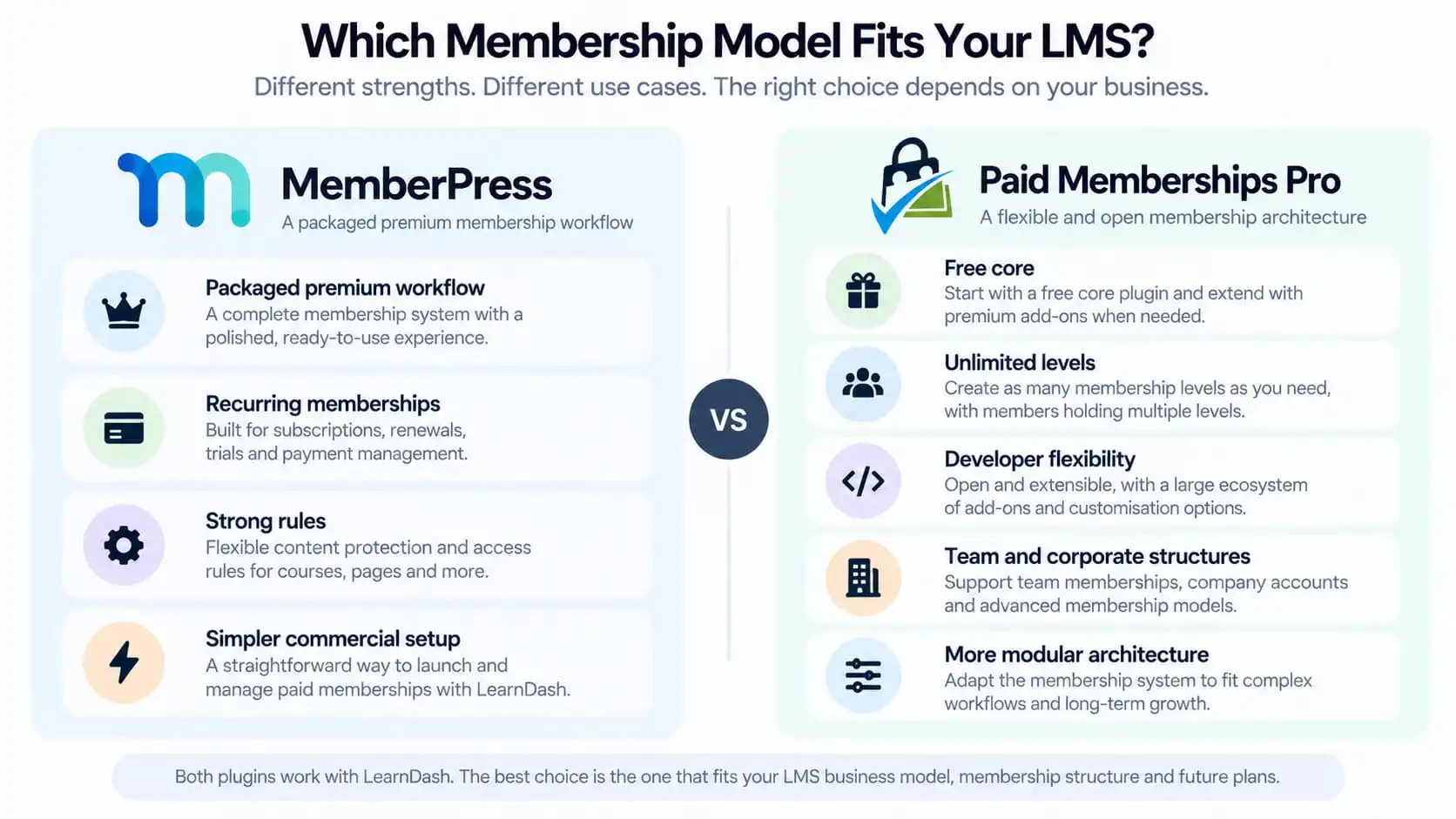
MemberPress makes sense when you want a polished commercial membership system where memberships, subscription management, access rules, checkout, course bundles, and wider content protection can be managed through one premium product.
Paid Memberships Pro makes sense when you want a more modular membership framework with a free self-hosted core, flexible level structures, multiple memberships per user, team or corporate models, and a large add-on ecosystem. PMPro supports membership level groups where members can hold either one or multiple levels depending on how the group is configured.
But before choosing either plugin, there is an earlier question worth answering.
First Decide Whether You Need a Membership Plugin at All
A LearnDash site does not automatically need MemberPress or Paid Memberships Pro.
LearnDash already includes its own content protection and can sell and protect course access without a separate membership plugin. LearnDash explicitly describes both MemberPress and Paid Memberships Pro as optional integrations rather than requirements.
A separate membership layer becomes more useful when the business needs things such as:
- recurring membership access
- several courses bundled into one plan
- wider site content outside LearnDash
- trials
- upgrades and downgrades
- multiple membership tiers
- protected resources
- team or corporate memberships
- community access
- subscription lifecycle rules
If the business simply sells individual courses, adding another membership system may create more administration than value.
I covered that decision in more detail in Do You Actually Need MemberPress With LearnDash?.
The Biggest Difference Is the Membership Operating Model
This is where I would stop comparing checkboxes.
The real difference is how you want the membership layer to behave as part of the wider LMS.
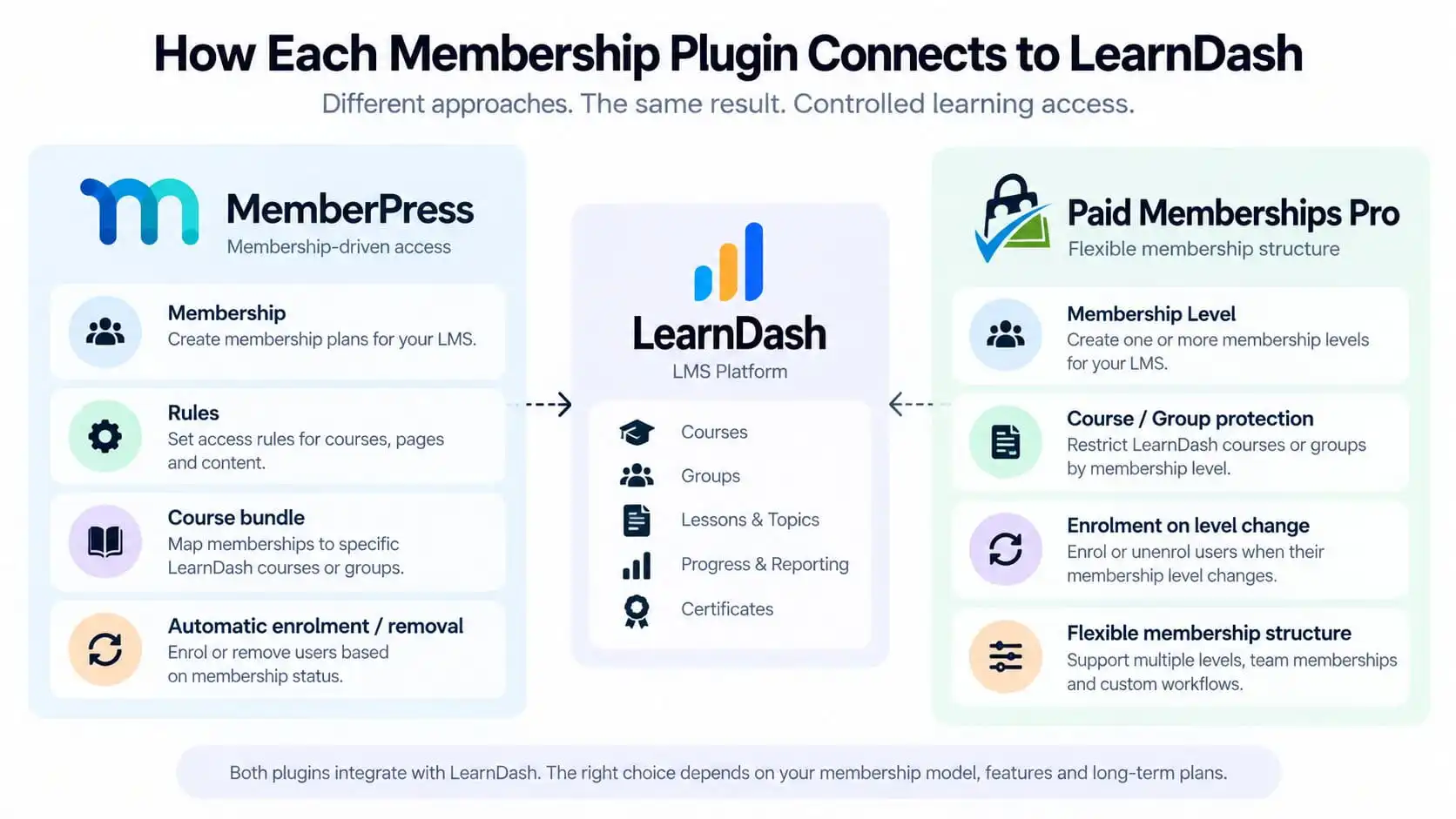
With MemberPress, I generally think in terms of:
Membership → rules → course bundle → access
With Paid Memberships Pro, the structure can become more modular:
Membership level or level group → course or group access → wider custom membership logic
That does not mean MemberPress cannot support complex sites or that PMPro cannot support simple ones.
It means the two systems encourage slightly different ways of thinking about the membership architecture.
That distinction becomes important once the business introduces more than one access path.
How MemberPress Works With LearnDash
The LearnDash MemberPress integration allows a membership to be associated with one or more LearnDash courses.
When someone joins the membership, they can be automatically enrolled into the associated courses.
When the membership is cancelled, the integration can automatically remove that course access as well. LearnDash also describes MemberPress as useful for course bundles, coupons, trials, checkout, and broader membership management.
A typical structure might look like:
Professional Membership
includes:
- Course 1
- Course 2
- Course 3
- Course 4
- protected resource library
The membership becomes the commercial product.
The LearnDash courses become part of what that product unlocks.
That can be a clean model when the business primarily thinks in terms of membership tiers.
How Paid Memberships Pro Works With LearnDash
Paid Memberships Pro can also map membership access to LearnDash content.
Its Courses for Membership Add On can protect LearnDash courses or Groups by membership level. New members can be automatically enrolled into the LearnDash content associated with their level, and when a member changes levels, they can be removed from courses that are no longer included.
PMPro also supports a more flexible level structure.
A user can hold multiple membership levels at the same time when the relevant Level Group allows it. That can be useful for businesses where membership is not simply:
Starter OR Professional OR Enterprise
but instead:
Core Membership + Certification Add-on + Regional Access + Premium Resource Pack
PMPro’s Level Groups are specifically designed to support both one-level-per-group and multiple-level-per-group structures.
Course Bundles and Membership Levels
Both systems can be used to sell collections of LearnDash courses rather than selling every course individually.
This is often where a membership plugin becomes valuable.
Imagine:
|
Starter
|
Professional
|
Enterprise
|
|---|---|---|
|
Course 1
|
Courses 1 through 5
|
All courses
|
|
Course 2
|
additional member resources
|
private company resources
|
|
|
|
manager access
|
|
|
|
corporate community
|
The important question is not whether either plugin can represent this.
The better question is:
How complicated will this membership model become over time?
If the business expects relatively straightforward tiered access, MemberPress may be easier to reason about.
If the business expects overlapping levels, optional add-ons, team structures, or more unusual membership combinations, PMPro’s level architecture may be worth serious consideration.
Recurring Memberships and Subscription Access
Both platforms can support recurring membership businesses.
The key architectural issue is what should happen when the subscription state changes.
A recurring LMS membership needs clear answers for:
- successful renewal
- failed renewal
- cancellation
- upgrade
- downgrade
- expiry
- grace periods
- refunds
The membership system should ideally become the source of truth for entitlement.
Then LearnDash should receive the learning-access result of that entitlement.
This is exactly the principle we used in the broader paid LMS architecture article:
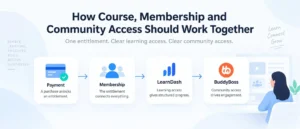
Payment / Subscription → Membership / Entitlement → LearnDash Access
If the LMS also includes BuddyBoss or another community layer, see How to Structure a Paid LearnDash + BuddyBoss Community Without Creating an Access-Control Mess.
What Happens When Membership Status Changes
This is more important than the initial signup.
Anyone can build a workflow that grants access after a successful checkout.
The harder part is making sure the system behaves correctly six months later.
For example:
A Professional member downgrades to Starter.
The expected result may be:
- retain Courses 1–2
- remove Courses 3–5
- retain historical progress
- remove Professional-only resources
- update any community permissions
- keep the account active at the Starter level
That entire lifecycle should come from the membership entitlement.
The LMS should not independently decide what the member still owns.
Existing Members and Retroactive Course Access
This is one area where implementation details matter.
Paid Memberships Pro documents an important limitation in its LearnDash integration: when you newly associate a course with an existing membership level, current members are not automatically retroactively enrolled into that newly protected course. PMPro states that enrolment changes are triggered by membership-level events, so existing members may need to be added manually in that scenario.
That matters during:
- migrations
- restructuring
- adding new courses to an existing tier
- changing membership architecture on a live site
MemberPress and LearnDash handle membership-to-course mapping differently, and LearnDash provides tooling around its MemberPress integration for managing linked course access.
This is exactly why I would test the existing-member lifecycle before switching membership architecture on a production LMS.
Do not test only new checkout.
Test users who have already been paying for six months.
Content Protection Beyond LearnDash
A membership plugin often becomes valuable because the business needs to protect more than courses.
That can include:
- downloadable files
- member-only pages
- resource libraries
- premium blog content
- events
- private community areas
- account dashboards
- templates
- recordings
MemberPress provides membership rules that can be applied across broader WordPress content, while PMPro likewise lets membership levels control access beyond LMS content.
That is why the choice should be made at the business membership level, not only at the LearnDash integration level.
The LMS may be one benefit of the membership rather than the whole product.
Corporate and Team Memberships
This is an important use case for serious training businesses.
Paid Memberships Pro supports group, team, and corporate membership models linked to a paying parent account. Its Group Accounts functionality can assign child accounts to membership levels while the parent account manages and pays for the group.
MemberPress also offers Corporate Accounts functionality for parent and sub-account structures.
So neither should be dismissed for B2B use.
But corporate LMS projects need more than a checkbox saying “team accounts supported.”
You need to decide:
- Who buys?
- Who invites employees?
- Who can remove employees?
- Does the company manager see learner progress?
- Do seats have limits?
- Can seats be reassigned?
- Which LearnDash Group receives the users?
- What happens when the company contract expires?
Those questions should influence the membership architecture more than the marketing feature list.
Developer Flexibility and Custom Workflows
This is one area where Paid Memberships Pro often becomes interesting.
Its membership level system supports users holding multiple levels, custom level relationships, team structures, custom fields, role syncing, and an extensive add-on architecture.
That can make it a useful foundation when the membership model is unusual.
For example:
Main Membership
plus:
Certification Programme
plus:
Regional Chapter Access
plus:
Premium Coaching Add-on
That is different from a simple three-tier membership ladder.
MemberPress can also be extended and customized, but I would still make this decision based on the actual workflow we need to build rather than assuming one plugin is inherently “more flexible.”
If the project includes custom membership logic, WooCommerce, LearnDash, or multiple access systems, that is the point where I would map the course, membership, payment, and access flow before implementation.
Pricing and Total Operating Cost
Pricing should be considered, but I would not use it as the primary decision.
Paid Memberships Pro currently offers a free self-hosted core. Its Standard plan is listed at $499/year and includes a one-site licence, premium add-ons, and support. PMPro also offers managed hosted plans separately.
MemberPress currently lists Launch, Growth, and Scale plans. The pricing page shows promotional first-year pricing of $199.50, $349.50, and $499.50 respectively, with higher renewal prices; the Launch plan also carries a 4.9% MemberPress transaction fee on successful payments, while Growth and Scale are listed without that MemberPress transaction fee. Standard payment processor fees can still apply separately.
Those figures can change, so they should be checked before purchase.
More importantly, the lowest licence cost does not necessarily create the lowest operating cost.
A cheaper membership plugin can become expensive if the business requires more custom development, more manual administration, or more complicated lifecycle logic.
Likewise, a more expensive licence may save time if its existing workflow matches the business closely.
That is why I would compare three-year ownership and maintenance, not just the first invoice.
Which Membership Model Fits Your LMS?
I would not reduce the choice to:
MemberPress = simple
and
PMPro = advanced
That is too crude.
A better way to think about it is this.
MemberPress tends to fit well when:
- the membership model is relatively clear
- you want a packaged premium workflow
- recurring memberships are central
- rules and protected content are important
- course bundles are straightforward
- the business prefers fewer architectural decisions
- you want the membership plugin to handle a lot of the commercial workflow
Paid Memberships Pro tends to deserve a closer look when:
- you want to begin with a free self-hosted core
- users may hold multiple membership levels
- the membership structure is modular
- team or corporate membership matters
- custom development is likely
- the business needs unusual entitlement combinations
- you want deeper control over how membership levels relate
That is not a winner/loser comparison.
It is a business-model comparison.
When I Would Choose MemberPress
I would lean toward MemberPress when the business has a relatively clear membership product.
For example:
Starter → Professional → Enterprise
Each tier unlocks a defined set of courses and resources.
The business needs:
- recurring billing
- course bundles
- trials
- broader WordPress content protection
- straightforward membership rules
- a polished commercial workflow
That is where MemberPress can be a very practical fit.
The key is that the membership system should remain the source of truth.
LearnDash should receive the course-access decision rather than becoming a second independent membership system.
When I Would Choose Paid Memberships Pro
I would look more closely at Paid Memberships Pro when the membership model itself is more flexible or unusual.
For example:
A learner might hold:
- a Core Membership
- a Certification Membership
- a Regional Membership
- an optional Mentoring Add-on
PMPro’s current Level Group model explicitly supports users holding multiple membership levels where the relevant group allows it.
It is also worth considering where corporate accounts, parent-child memberships, or more developer-led customization are central to the product.
The free core can also make it useful for businesses that want to validate the membership model before committing to a larger paid ecosystem.
When I Would Use Neither
There are LearnDash projects where I would not use either.
For example:
- every course is sold individually
- there is no recurring membership
- there are no wider protected resources
- there are no membership tiers
- course access does not need to control community access
- upgrades and downgrades are not part of the business
- the built-in LearnDash access model already covers the requirements
In that case, adding MemberPress or PMPro just because they are popular membership plugins can create unnecessary complexity.
That is why the decision should start with the product model.
Not the plugin.
A Simple Decision Framework
Before choosing either system, I would answer these questions:
1. Is the product primarily a course or a membership?
2. Are members buying one tier or potentially several entitlements?
3. Does membership unlock content outside LearnDash?
4. Do we need recurring subscriptions?
5. Are upgrades and downgrades important?
6. Will corporate or team accounts exist?
7. Does community access depend on membership?
8. Will WooCommerce also be involved?
9. Do existing members need to be migrated?
10. How much custom workflow logic will the site require?
Those answers normally make the plugin decision much clearer.
Final Decision: Choose the Membership Model, Not the Plugin Name
MemberPress vs Paid Memberships Pro should ultimately be decided by the membership architecture the LMS needs.
MemberPress can be a strong fit when the business wants a more packaged premium membership workflow around recurring access, rules, course bundles, and protected content.
Paid Memberships Pro can be compelling when the business wants a more modular membership framework with a free core, multiple-level structures, team or corporate models, and deeper customization.
But neither plugin should be allowed to make the business model unnecessarily complicated.
Start with:
What is being sold?
Then:
What does each membership unlock?
Then:
What happens when the member upgrades, downgrades, cancels, or expires?
Only after those rules are clear should the plugin be selected.