


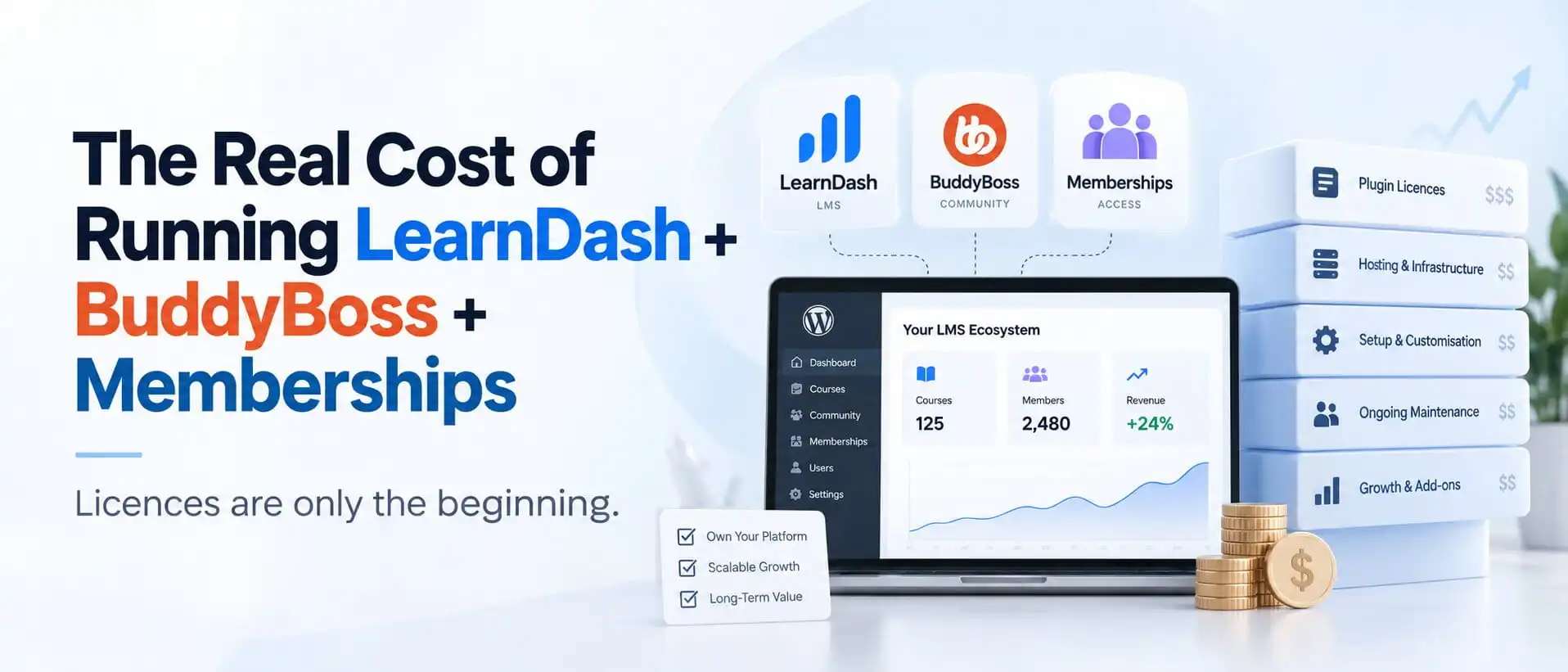
The LearnDash BuddyBoss membership cost is much bigger than the price of three plugins.
A serious LMS and community platform usually includes:
- LearnDash for learning
- BuddyBoss for community
- a membership system for
- recurring access
- hosting
- video
- backups
- security
- performance work
- integrations
- custom development
- ongoing maintenance
That is why I would never estimate the real cost of this stack by simply adding three annual licences together.
The better question is:
What will this platform cost to build, operate, maintain, and improve over the next three years?
That is the number that matters to a business owner.
LearnDash BuddyBoss Membership Cost: The Short Answer
The short answer is:
The licence cost is usually the smallest and easiest part to calculate.
The larger cost comes from everything required to make the systems work together reliably.
A typical stack can include four separate cost categories:
1. Software
2. Infrastructure
3. Implementation
4. Ongoing operations
The mistake is budgeting only for the first one.
LearnDash now starts at $259/year for Essentials, with Pro at $399/year and Elite at $599/year. The current plans are feature-tiered rather than based on the old 1-site / 10-site / unlimited-site model. Pro adds more advanced reporting and learner-management capabilities, while Elite adds more organizational and instructor-focused functionality.
BuddyBoss currently lists Pro at $299 for the first year and Plus at $349 for the first year, with standard annual pricing shown at $399 and $599 respectively. BuddyBoss also states that Plus renews at $599/year after the introductory year.
For the membership layer, costs depend on the product you choose.
MemberPress currently lists introductory annual pricing of:
- Launch: $199.50
- Growth: $349.50
- Scale: $499.50
with standard renewal pricing of $399, $699, and $999 respectively. The Launch plan also includes a 4.9% MemberPress transaction fee on successful payments, in addition to normal payment-processor fees.
Paid Memberships Pro offers:
- Free: $0
- Standard: $499/year for one site with premium add-ons and support
It also has managed hosted plans at higher price points.
Those numbers are useful.
But they are not the real platform cost.
Why Licence Cost Is Not the Real Cost
Suppose you buy:
- LearnDash
- BuddyBoss
- MemberPress
You now own three capable tools.
You still do not have a finished business platform.
Someone still has to decide:
- how checkout works
- what each membership tier unlocks
- which LearnDash courses belong to which tier
- which BuddyBoss groups belong to which tier
- what happens when someone upgrades
- what happens when someone downgrades
- what happens when a payment fails
- how renewals affect access
- how reporting works
- who manages companies or cohorts
- how the site performs with hundreds or thousands of logged-in members
That is architecture and implementation work.
If those decisions are handled badly, the cost appears later as:
- support issues
- access bugs
- duplicated rules
- manual fixes
- performance problems
- failed updates
- migration work
- development rework
That is why the cheapest initial build is not always the cheapest platform to own.
Core Software Costs
The visible software layer usually includes at least:
- LearnDash
- BuddyBoss
- one membership system
But many real projects add more.
For example:
- LearnDash Groups Management
- advanced reporting
- instructor functionality
- WooCommerce
- WooCommerce Subscriptions
- email automation
- form tools
- backup tools
- security tools
- performance plugins
- video hosting
- CRM integration
- analytics
- custom plugins
LearnDash itself offers additional products such as Groups Management and ProPanel separately or in bundles, which means the final annual software bill can move well beyond the base LMS licence depending on the requirements.
That is not necessarily a problem.
The important thing is to know which tools solve a real business need.
LearnDash Cost
LearnDash now uses three annual plans:
- Essentials: $259/year
- Pro: $399/year
- Elite: $599/year
The important change is that LearnDash is no longer simply selling the same LMS at different site-count limits.
The newer plans bundle different levels of functionality.
Essentials covers the core LMS and selling layer.
Pro adds capabilities such as advanced reporting, enrollment tracking, weighted grading, custom report cards, student notes, and Group Leader communications.
Elite adds more advanced organizational capabilities such as Group course management, instructor roles, front-end course creation, multi-instructor management, ratings and reviews, and seat selling.
That means the LearnDash portion of the annual budget now depends less on buying individual add-ons one by one and more on choosing the plan that already matches the operating model.
For many straightforward course businesses, Essentials may be enough.
For a larger training platform, corporate LMS, or more complex learning operation, Pro or Elite may reduce the need to purchase certain capabilities separately.
The bigger cost question is still what has to sit around LearnDash:
- memberships
- community
- WooCommerce
- hosting
- video
- custom integrations
- maintenance
So even with the new pricing model, the LearnDash licence remains only one part of the total platform budget.
For a deeper breakdown of the wider LMS budget, see How Much Does a LearnDash Website Really Cost in 2026?.
BuddyBoss Cost
BuddyBoss currently shows:
- Pro: $299 introductory annual price
- Plus: $349 introductory annual price
The pricing page presents higher standard prices alongside those offers, and BuddyBoss has stated that Plus renews at $599/year after the first year.
That matters because many cost comparisons accidentally use only the first-year promotional price.
A three-year budget should be based on expected renewal pricing, not only launch pricing.
BuddyBoss also offers its separate mobile app product, which can add a much larger recurring cost if native mobile apps become part of the roadmap.
So the BuddyBoss budget can range from:
web community only
to:
web + native mobile apps + additional engagement features
Those are very different projects.
Membership Plugin Cost
The membership layer can be inexpensive or relatively significant depending on the choice.
MemberPress
Current introductory annual pricing is listed at:
- Launch: $199.50
- Growth: $349.50
- Scale: $499.50
The corresponding regular renewal pricing is shown as:
- Launch: $399/year
- Growth: $699/year
- Scale: $999/year
MemberPress also states that Launch includes a 4.9% transaction fee, while Growth and Scale do not carry that MemberPress fee. Payment gateway charges are separate.
Paid Memberships Pro
PMPro currently offers:
- Free self-hosted core: $0
- Standard: $499/year
- Managed Max: $999/year
- Max 2x: $2,999/year
The managed plans include hosting and infrastructure, so they are not directly comparable with the self-hosted software-only options.
That is why comparing licence prices alone can be misleading.
You have to compare what each option replaces.
Where the Budget Actually Goes
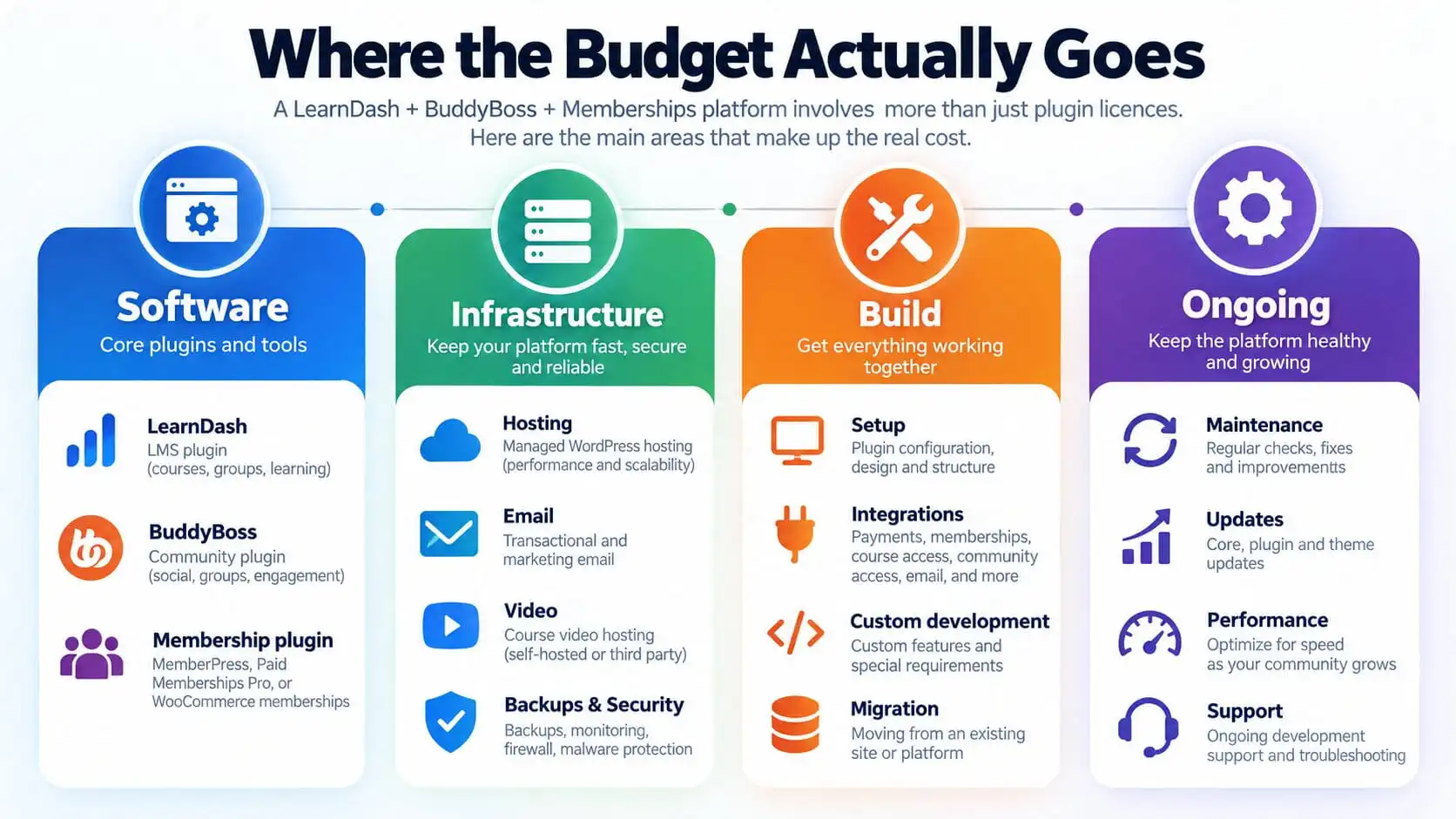
I would divide the real budget into four areas.
|
Software
|
Infrastructure
|
Build
|
Ongoing
|
|---|---|---|---|
|
LearnDash
|
hosting
|
architecture
|
plugin updates
|
|
BuddyBoss
|
transactional email
|
setup
|
bug fixes
|
|
membership plugin
|
video delivery
|
design
|
performance work
|
|
optional LMS add-ons
|
backups
|
integrations
|
support
|
|
commerce tools
|
security
|
migration
|
compatibility testing
|
|
other premium plugins
|
CDN
|
custom development
|
future development
|
|
|
monitoring
|
testing
|
|
This is the part business owners often underestimate.
Hosting and Infrastructure
A LearnDash + BuddyBoss membership site should not be treated like a simple brochure website.
Most users are logged in.
That changes the workload.
You may have:
- course progress updates
- quizzes
- BuddyBoss activity feeds
- private messages
- notifications
- membership checks
- group queries
- dashboards
- reporting
- AJAX requests
- background jobs
Much of that traffic cannot be cached the same way as a public marketing page.
So hosting needs to be selected around the application workload, not simply the cheapest WordPress plan available.
A site with 100 members and a few courses has different needs from a platform with:
- 10,000 users
- dozens of active groups
- hundreds of courses
- heavy messaging
- company reporting
Infrastructure cost grows with usage.
That is normal.
Email, Video, Backups, Security and Performance
These often look like small expenses individually.
Together they matter.
A serious LMS may need:
Transactional email
For:
- registration
- password reset
- purchase confirmation
- membership emails
- course notifications
Video hosting
For course delivery without putting all video bandwidth on the WordPress server.
Backups
Automated, off-site, and restorable.
Security
Firewall, malware monitoring, login protection, and ongoing updates.
Performance
Caching where appropriate, database optimisation, CDN, object caching, media optimisation, and application-specific tuning.
Ignoring these costs does not make them disappear.
It usually moves the cost into downtime or developer troubleshooting later.
Implementation and Setup Cost
This is where project scope begins to matter.
A simple LMS setup might require:
- plugin configuration
- branding
- core page setup
- basic course structure
- membership setup
- checkout
- testing
A more serious platform may require:
- custom learner dashboards
- LearnDash Groups
- BuddyBoss Groups
- automated membership enrolment
- WooCommerce
- corporate clients
- manager reporting
- CSV imports
- migration
- custom APIs
- role logic
- access synchronisation
The implementation cost can easily exceed the licence cost because software does not automatically understand the business.
Someone has to design that relationship.
Custom Development and Integrations
This is often where the largest difference appears between projects.
One site might use almost everything out of the box.
Another may need:
- custom account dashboards
- external CRM integration
- company licences
- custom reporting
- custom enrolment logic
- seat management
- SSO
- mobile APIs
- secure document access
- custom expiry rules
- workflow automation
There is no useful universal number for that.
The cost depends on how far the business model moves beyond standard plugin behavior.
If your stack includes LearnDash, memberships, WooCommerce, and custom access rules, this is where my LMS, membership, and WooCommerce integration work becomes relevant.
Maintenance and Update Cost
WordPress platforms change.
You have:
- WordPress core updates
- LearnDash updates
- BuddyBoss updates
- membership plugin updates
- payment integration updates
- PHP updates
- hosting changes
- browser changes
- security fixes
A platform with several integrated systems should be tested after meaningful updates.
The risk is not simply:
Will the website load?
The more important questions are:
- Can a member still purchase?
- Does access still grant correctly?
- Does renewal still work?
- Does expiry still remove the right access?
- Do LearnDash Groups still sync?
- Do BuddyBoss Groups still behave correctly?
- Does company reporting still work?
Maintenance means protecting the business workflow, not just updating plugins.
Performance Cost as the Community Grows
BuddyBoss adds a social layer to WordPress.
That can create more dynamic database activity than a normal LMS alone.
As the platform grows, you may need:
- stronger hosting
- database tuning
- object caching
- offloaded media
- better search
- CDN
- performance audits
- query optimisation
BuddyBoss Plus itself includes features such as Offload Media, which is one example of how scaling concerns can affect the product tier you choose.
Performance should be treated as an operational budget item.
Not a one-time launch task.
The Hidden Cost of Access-Control Complexity
This is one of the biggest hidden costs.
Imagine:
WooCommerce controls payment.
MemberPress controls membership.
LearnDash controls courses.
BuddyBoss controls community.
Then custom automation connects all four.
Now someone changes from Professional to Starter.
Which system removes:
- premium courses?
- premium community?
- company access?
- reporting permissions?
If there is no single source of truth, developers spend time debugging contradictions.
That is operational cost.
The cleanest architecture is usually:
Commercial event → entitlement → learning access + community access
I covered this in detail in How Course, Membership and Community Access Should Work Together.
Simple LMS + Community Scenario
A relatively simple setup might include:
- LearnDash
- BuddyBoss
- one membership plugin
- managed WordPress hosting
- basic email
- backups
- security
- limited customization
This kind of platform can stay relatively lean if the access model is simple.
For example:
one paid membership → all courses + one community
Very little custom logic is required.
The annual licence bill may stay in the low four figures or below depending on plan selection, while hosting and maintenance vary by provider and traffic.
The build itself is usually driven more by design and setup time than by complex development.
Membership LMS + Community Scenario
Now add:
- multiple membership tiers
- course bundles
- BuddyBoss private groups
- upgrade/downgrade rules
- renewal logic
- WooCommerce
- better reporting
- transactional email
- higher traffic
The software cost increases.
But more importantly, the implementation becomes more expensive because the entitlement logic becomes more complicated.
You now need to test:
- purchase
- renewal
- downgrade
- upgrade
- cancellation
- refund
- failed payment
- reactivation
That is a much bigger system.
For this type of setup, see How to Structure a Paid LearnDash + BuddyBoss Community Without Creating an Access-Control Mess.
Advanced Corporate or Custom Scenario
Now consider:
- company accounts
- 100-seat purchases
- LearnDash Groups
- Group Leaders
- private company BuddyBoss Groups
- company reporting
- CSV imports
- custom dashboards
- integrations
- migration
- custom workflows
- external APIs
At this point, licence cost becomes a relatively small part of the project.
The largest cost becomes:
designing and maintaining the business logic.
That is why two sites using the same plugins can have completely different development budgets.
One-Time Cost vs Annual Operating Cost
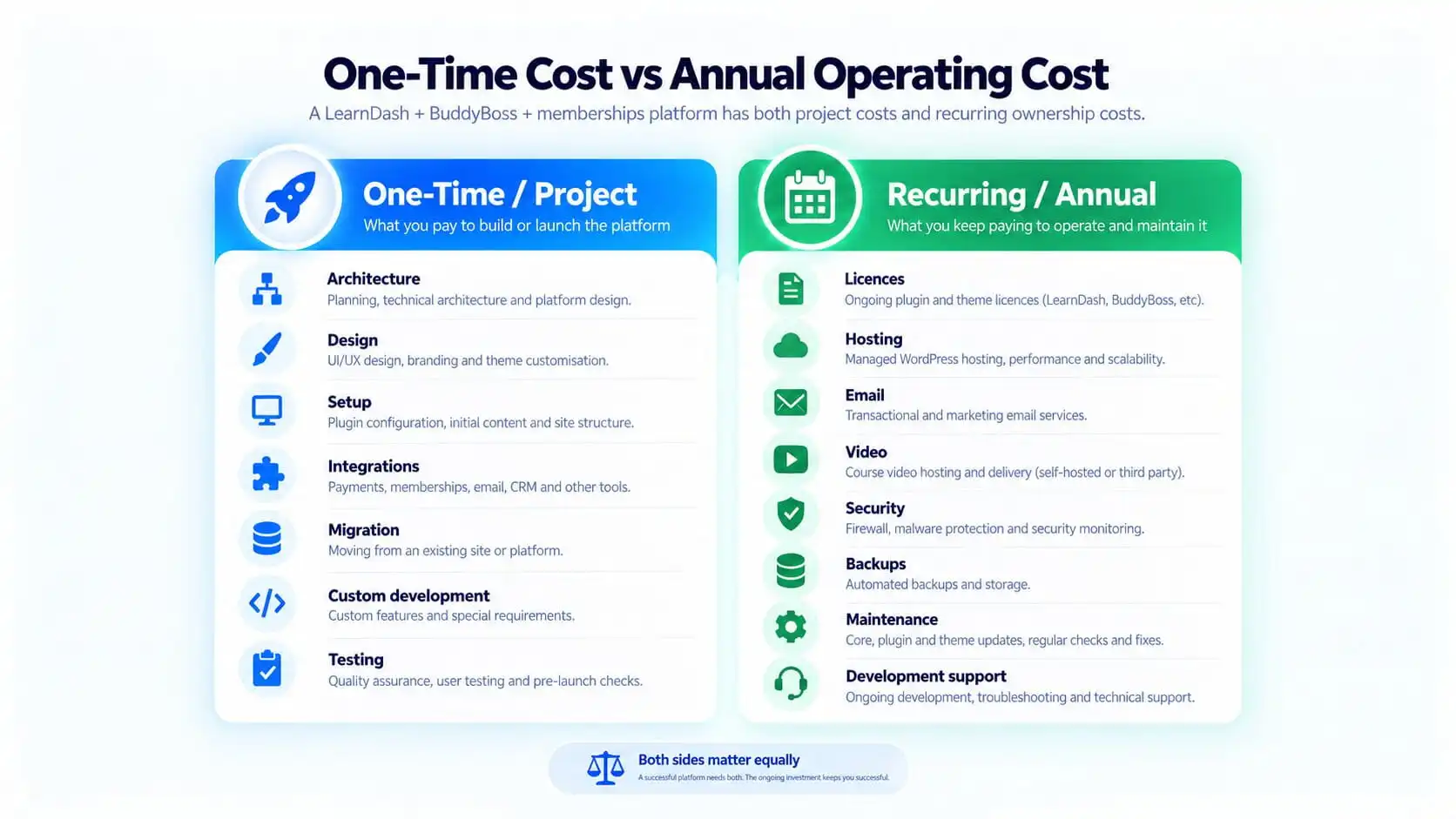
I would separate the budget into two categories.
One-time / project cost
Usually includes:
- discovery
- architecture
- UI/UX
- setup
- course structure
- membership configuration
- integrations
- migration
- custom development
- testing
- launch
Recurring / annual cost
Usually includes:
- plugin licences
- hosting
- video
- backups
- security
- maintenance
- technical support
- ongoing development
This is the distinction that makes three-year budgeting more useful.
A platform can be inexpensive to launch but expensive to maintain.
Or more expensive to build correctly but cheaper to operate because the architecture is simpler.
Where Businesses Usually Overspend
One common mistake is buying too many plugins before the architecture is clear.
For example:
- membership plugin
- WooCommerce
- subscription plugin
- access-control plugin
- automation plugin
- reporting plugin
Then several of them overlap.
Another mistake is over-customizing something the base platform already handles.
The goal should not be:
maximum features.
It should be:
minimum complexity required to support the business model.
Where Cutting Cost Creates Problems
Some areas are risky to underfund.
Hosting
A slow community platform creates poor user experience and support problems.
Backups
Cheap until the day you need one.
Maintenance
Skipping updates can create security or compatibility risk.
Architecture
The most expensive access-control problems usually started because nobody decided which system should own entitlement.
Testing
A membership platform should test lifecycle events, not only page design.
These are not exciting budget items.
But they are what keep the platform reliable.
How to Estimate Three-Year Ownership
This is the calculation I would use.
Year 1
Include: software + hosting + implementation + migration + custom development + maintenance
Year 2
Include: renewal licences + hosting + maintenance + support + improvements
Year 3
Include: renewal licences + hosting + maintenance + performance + development roadmap
Then ask:
What will change if the business grows 3x?
For example:
- more members
- more courses
- native apps
- corporate clients
- more video
- more reporting
- additional integrations
That gives you a much more realistic picture than comparing first-year plugin prices.
Final Recommendation
The real LearnDash BuddyBoss membership cost is not:
LearnDash licence + BuddyBoss licence + membership plugin licence.
It is:
software + infrastructure + implementation + ongoing ownership.
For a simple platform, that can still be very reasonable.
For a complex training or membership business, the investment grows because the platform is doing more.
The most important thing is to make sure the complexity is justified by the business.
I would rather build a smaller stack with:
- clear entitlement
- predictable access
- reliable hosting
- good testing
- documented workflows
than a larger stack with overlapping plugins and unclear ownership.