



If you are comparing LearnDash vs Kajabi, the most useful question is not which platform has the longer feature list.
It is:
What kind of business are you actually trying to build?
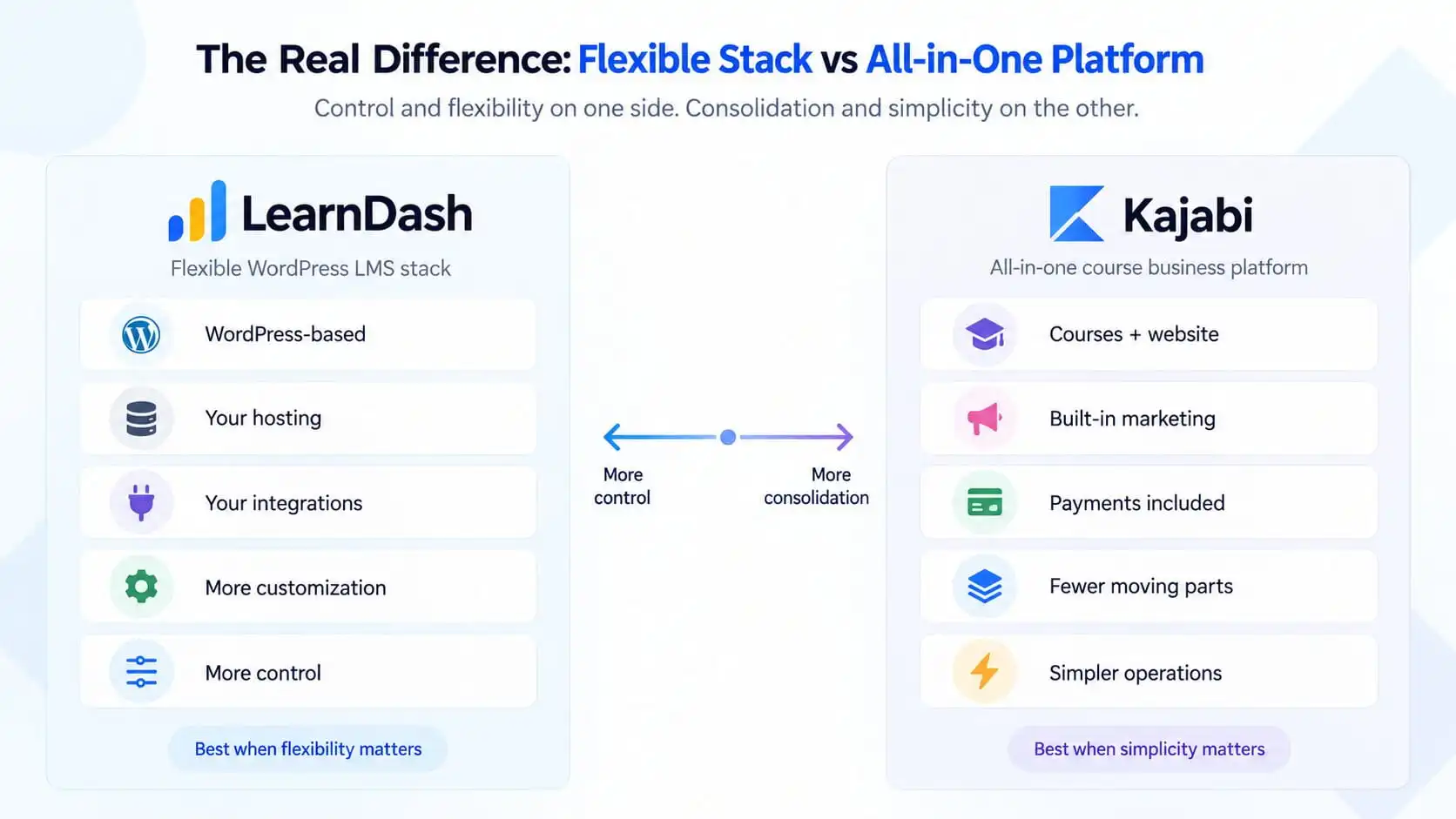
Kajabi is designed as a consolidated business platform. Courses, websites, payments, email, funnels, memberships, and community can all live inside one system.
LearnDash takes a different approach. It is a WordPress LMS, so the learning platform can sit inside a wider stack that you control, with your choice of hosting, membership system, community layer, marketing tools, integrations, and custom development.
That means the real comparison is less about features and more about consolidation versus control.
LearnDash vs Kajabi: The Short Answer
Kajabi usually makes more sense when a business wants:
- fewer systems to manage
- built-in email marketing
- built-in funnels
- integrated checkout
- native community
- simpler day-to-day operations
LearnDash usually makes more sense when a business wants:
- deeper WordPress control
- more flexible integrations
- stronger customization
- more structured LMS workflows
- B2B or corporate training
- custom membership or access logic
Neither approach is automatically better.
The better fit depends on how much flexibility the business wants to own.
The Real Difference Is the Business Model Behind the Platform
Both platforms can sell online courses.
That similarity can make the comparison look much simpler than it really is.
Kajabi is trying to reduce the number of systems you need.
LearnDash is designed to become part of a wider WordPress architecture.
That difference affects almost everything else:
- cost
- maintenance
- marketing
- memberships
- community
- reporting
- custom workflows
- long-term flexibility
So before comparing individual features, I would decide which operating model is more appropriate.
Kajabi Is a Consolidated Business Platform
Kajabi currently combines a broad set of business tools inside one platform.
Its course product includes:
- structured course delivery
- drip content
- progress tracking
- assessments
- subscriptions
- payment plans
- coupons
- upsells
- email automation
- funnels
- landing pages
- community integration
Kajabi also offers coaching, memberships, communities, newsletters, podcasts, and other product types within the same ecosystem.
The appeal is obvious.
Instead of connecting several separate systems, the business can run much more of the customer journey from one dashboard.
That can reduce operational complexity.
LearnDash Is a Flexible WordPress LMS
LearnDash starts from the LMS side.
Its current WordPress plugin includes a drag-and-drop course builder, assignments, shared course steps, video progression, Focus Mode, course access controls, subscriptions, memberships, bundles, and built-in PayPal and Stripe options.
From there, the business decides what else should sit around the LMS.
That might include:
- WooCommerce
- MemberPress
- Paid Memberships Pro
- BuddyBoss
- Elementor
- a CRM
- an external email platform
- custom integrations
custom reporting
That creates more responsibility.
It also creates much more architectural freedom.
If you are deciding whether your course business should live inside a consolidated platform or a more flexible WordPress stack, I can help map the LMS architecture before you commit to the build.
Platform Ownership and Control
This is one of the biggest differences between the two platforms.
Kajabi
Kajabi manages the platform environment for you.
You do not choose:
- the hosting stack
- the server configuration
- the database architecture
- the underlying application framework
That removes a lot of technical responsibility.
It also means you are working within Kajabi’s platform model.
LearnDash
With LearnDash, the LMS lives on WordPress.
That means you control:
- hosting
- WordPress
- themes
- plugins
- custom code
- integrations
- data architecture
- deployment process
For some businesses, that sounds like unnecessary complexity.
For others, it is exactly why they choose WordPress.
The important question is:
Does your business benefit from owning more of the technical stack?
If the answer is no, Kajabi’s managed model can be attractive.
If the answer is yes, LearnDash gives you far more room to shape the platform around the business.
Course Building and Learning Experience
Both platforms can create structured online courses.
Kajabi supports modular courses, scheduled releases, progress tracking, assessments, and learning paths.
LearnDash provides a visual course builder where lessons, topics, and quizzes can be created, reordered, reused, and structured into a defined learning path.
The difference is not that one supports courses and the other does not.
It is that LearnDash is more explicitly built as an LMS.
That matters when the learning model becomes more complex.
Quizzes, Assignments and Structured Learning
This is where LearnDash starts to separate itself from simpler course-selling platforms.
LearnDash provides:
- dedicated quiz builder
- course, lesson, and topic quizzes
- assignments
- progression rules
- certificates
- prerequisites
- reusable course steps
Its quiz and course builders are designed around structured learning rather than simply content delivery.
Kajabi also supports assessments and knowledge checks, so it can absolutely support structured learning.
But if your training model depends heavily on:
- formal assessment
- complex progression
- structured certifications
- multiple learning paths
- group-based training
LearnDash usually gives you more LMS-specific control.
Marketing and Email
Kajabi is much stronger out of the box here.
Its current platform includes:
- email broadcasts
- automated email sequences
- behavior-based automations
- funnels
- lead capture forms
- landing pages
These tools are directly connected to products, purchases, and learner behavior.
That can be a major advantage.
With LearnDash, marketing usually lives in another system.
You might use:
- Mailchimp
- ActiveCampaign
- FluentCRM
- HubSpot
- ConvertKit
- another WordPress or external CRM
That is more setup.
But it also means the business can choose the marketing stack it actually wants.
So this comes down to the same tradeoff again.
Kajabi reduces tool sprawl.
LearnDash gives you more choice.
Memberships and Recurring Access
Kajabi has memberships and recurring access integrated into the same business system.
Its membership product connects paid tiers, content, marketing, payments, and automation.
LearnDash can also support recurring course access and memberships, but there are several ways to structure it.
You might use:
- native LearnDash access
- LearnDash Groups
- MemberPress
- Paid Memberships Pro
- WooCommerce
- another membership layer
That flexibility is useful.
It can also create confusion if several systems are allowed to control access at the same time.
I covered that problem in Do You Actually Need MemberPress With LearnDash?.
If your LMS already has memberships, subscriptions, course access, and payments spread across several plugins, I can help simplify the membership and access architecture.
Community
Kajabi includes community functionality directly inside the platform.
Its community product connects spaces, members, products, payments, and engagement within the same Kajabi environment.
With LearnDash, community is usually separate.
A common architecture is:
LearnDash → learning
BuddyBoss → community
membership layer → entitlement
That gives the business more flexibility over community structure and ownership.
But again, it creates more moving parts.
I covered this in LearnDash + BuddyBoss: How the Architecture Should Actually Work.
If community is a major part of the product and you need deeper WordPress customization, BuddyBoss development can be structured around the LMS instead of bolted onto it later.
Payments and Checkout
Kajabi includes checkout and monetization inside the platform.
It currently supports:
- one-time payments
- subscriptions
- payment plans
- coupons
- upsells
- order bumps
Its payment and product systems are designed to work together.
LearnDash also supports direct payment options, and its current LMS offering includes PayPal and Stripe integrations.
But many serious WordPress businesses go further and use WooCommerce or membership plugins when they need:
- more complex products
- subscriptions
- bundles
- invoicing
- tax workflows
- physical products
- multiple gateways
- custom checkout logic
That can create a more powerful commerce layer.
It is also more complicated than Kajabi’s integrated model.
Design and Customization
This is one of LearnDash’s biggest advantages.
Because it runs on WordPress, you can choose:
- theme
- page builder
- custom templates
- CSS
- custom PHP
- JavaScript
- custom frontend components
You can build a very specific branded learning experience.
Kajabi also allows customization, but it remains within its hosted platform structure.
So if the design requirement is:
“We need a polished branded course business.”
Both can work.
If the requirement is:
“We need a highly customized application-like learning experience with custom workflows.”
LearnDash gives you more room.
Integrations and Custom Development
This is where the WordPress model becomes strategically important.
LearnDash can sit inside a broader system containing:
- CRM
- ERP
- HR platform
- ecommerce
- reporting systems
- SSO
- custom APIs
- mobile apps
- external databases
That makes it useful when the LMS is one part of a larger business system.
Kajabi supports third-party integrations too, and its current plans include third-party integration capabilities.
But the architecture is still hosted within Kajabi.
The question is whether you need integrations around the platform or deep control inside the platform.
Those are different requirements.
B2B and Corporate Training
This is one area where LearnDash deserves more attention.
LearnDash Groups allow administrators to:
- organize users into cohorts
- assign courses
- assign Group Leaders
- track group progress
- report on learner performance
LearnDash also supports organizational use cases such as role-based training, multiple locations, synchronized course access, and group-based course assignments.
Groups Plus extends this further with organization structures, seat purchasing, and front-end group management.
That is important for:
- employee training
- customer education
- compliance
- certification
- training companies
- selling seats to organizations
Kajabi can absolutely be used for business training and educator-led programs, but its core product positioning is much more focused on expert-led businesses, creators, educators, coaching, memberships, and digital products.
If your business needs B2B training, group leaders, seat management, or custom corporate workflows, that requirement should influence the platform choice much more than the marketing feature list.
Reporting
Both platforms provide reporting.
But the reporting requirements of a serious LMS can become very specific.
A business may need to know:
- who enrolled
- who completed
- which quiz scores were achieved
- which organization a learner belongs to
- which Group Leader manages them
- whether access has expired
- which cohorts are underperforming
LearnDash’s Groups and Group Administration tools expose group-level learner reporting and export capabilities.
If standard reports are not enough, WordPress also gives you room to build custom reporting.
That is useful for organizations.
It also means someone has to build and maintain those reports.
Performance and Hosting
Kajabi removes most hosting decisions from the business.
That is convenient.
With LearnDash, infrastructure becomes part of the architecture.
You need to think about:
- hosting
- PHP resources
- database performance
- caching
- backups
- security
- concurrency
That creates more responsibility, but also more control.
A properly built WordPress LMS can scale well.
A badly built one can become slow quickly.
I covered the performance side separately in Why LearnDash Websites Become Slow and What Actually Fixes Them.
LearnDash vs Kajabi Pricing
This is where simple comparisons become misleading.
LearnDash
LearnDash currently lists:
- Essentials: $259/year
- Pro: $399/year
- Elite: $599/year
The plans include the LMS plugin, updates, and support.
That looks much cheaper than Kajabi.
But that is only the LMS licence.
A serious LearnDash platform may also include:
- hosting
- page builder
- membership plugin
- community software
- email/CRM
- backups
- security
- custom development
- maintenance
So the plugin price is not the platform cost.
I broke this down in How Much Does a LearnDash Website Really Cost in 2026? and The Real Cost of Running LearnDash + BuddyBoss + Memberships.
Kajabi
Kajabi’s current annual-billing prices are:
- Basic: $143/month
- Growth: $199/month
- Pro: $399/month
Current plan limits vary by products, contacts, websites, communities, and admins.
Kajabi’s price includes much more of the surrounding business infrastructure.
So the comparison should not be:
$259/year vs $143/month
That would be misleading.
The real comparison is:
What does the full operating system cost for the business model you actually need?
What the Cost Actually Includes
This is one of the most important parts of the decision.
With Kajabi, you are paying more for consolidation.
With LearnDash, you are paying less for the core LMS and assembling the rest separately.
That means the LearnDash route may include:
- multiple subscriptions
- separate vendors
- integration work
- technical maintenance
Kajabi may include more of those capabilities under one subscription.
So when comparing the two, I would calculate at least a three-year cost.
Not just the licence cost.
Where Each Platform Is Strongest
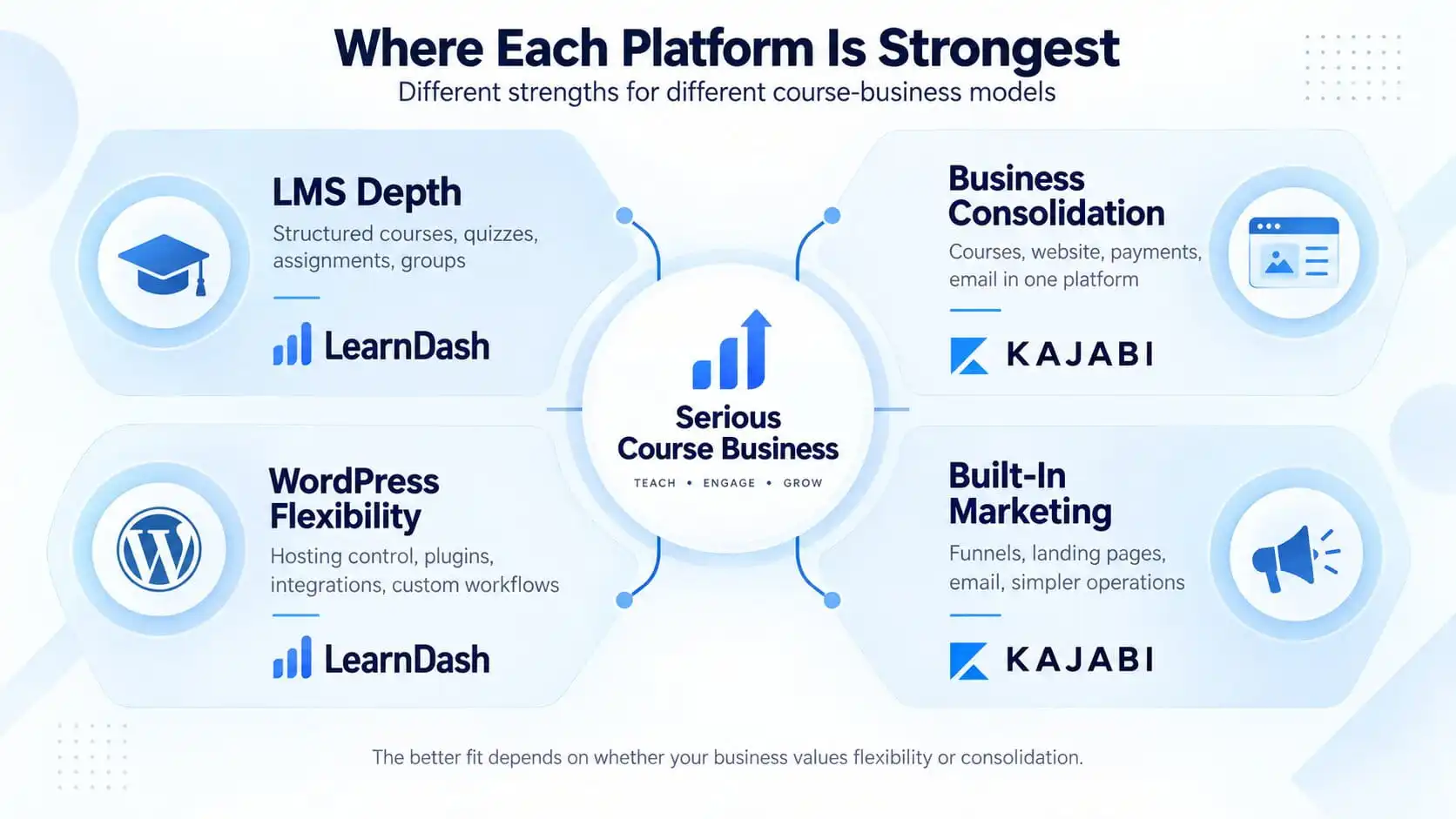
I would summarize the difference like this.
|
LearnDash tends to be strongest when you need
|
Kajabi tends to be strongest when you need
|
|---|---|
|
Deeper LMS structure
|
Business consolidation
|
|
WordPress flexibility
|
Built-in marketing
|
|
Custom integrations
|
Simpler operations
|
|
B2B learning
|
Creator-led products
|
|
Organization-specific workflows
|
Fewer separate systems
|
Neither list is exclusive. They describe where each platform naturally fits.
When Kajabi Makes More Sense
I would summarize the difference like this.
|
You want fewer systems
|
Marketing is central to the business
|
|---|---|
|
WordPress hosting
|
Funnel
|
|
Several plugins
|
Email sequences
|
|
Separate email tools
|
Offers
|
|
Multiple integrations
|
Upsells
|
|
|
Landing pages
|
Kajabi’s consolidation can be valuable.
The product model is relatively straightforward
For example:
- online courses
- memberships
- coaching
- community
- digital products
You value operational simplicity
You would rather accept some platform constraints than own the technical stack.
When LearnDash Makes More Sense
LearnDash is a stronger fit when:
WordPress is already strategic
The business already relies on WordPress for:
- website
- SEO
- content
- ecommerce
- memberships
- integrations
The LMS needs deeper customization
You need:
- custom workflows
- special enrollment rules
- advanced student dashboards
- custom reporting
- integrations with external systems
B2B training matters
You need:
- Groups
- Group Leaders
- company cohorts
- seat management
- organization reporting
You want long-term platform flexibility
You want control over:
- hosting
plugins - data
- frontend
- integrations
What Happens When the Business Outgrows the Original Setup
This is where platform decisions become expensive.
A business may begin with a simple requirement:
“We need to sell one course.”
Two years later, it needs:
- memberships
- community
- corporate accounts
- custom reporting
- mobile access
- external integrations
- B2B sales
The original platform may no longer fit the business.
That is why I would not choose based only on what the business needs today.
I would also ask:
What are we likely to need in two or three years?
A platform that is simple now can become restrictive later.
A platform that is flexible now can become expensive if the flexibility is never actually needed.
Migrating Between Kajabi and LearnDash
Migration is another factor worth considering.
Moving between hosted and WordPress-based systems is not just a content transfer.
You may need to migrate:
- users
- courses
- lessons
- video
- subscriptions
- progress
- payments
- email lists
- community data
- automation
Not every piece of data will always map cleanly between platforms.
If the destination is LearnDash, the migration also needs to preserve the structure and learner state correctly.
I covered the WordPress LMS side of that problem in Migrating LearnDash Without Losing Student Progress
Which Platform Fits Your Business Model?
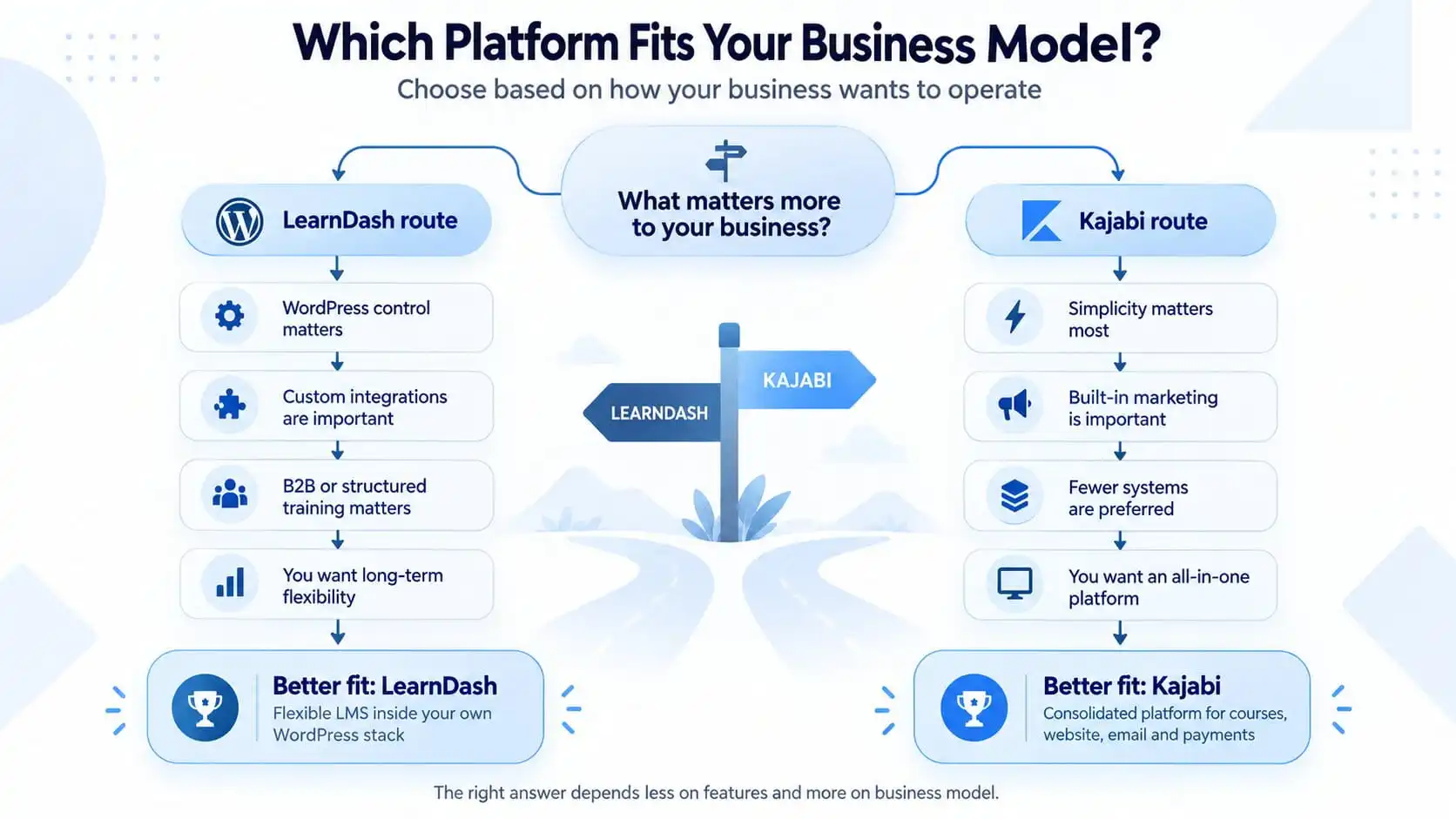
I would use this decision framework.
Consider the LearnDash route if
- WordPress control matters
- custom integrations matter
- B2B or structured training matters
- long-term flexibility matters
Consider the Kajabi route if
- simplicity matters
- built-in marketing matters
- fewer systems are preferred
- the business fits the hosted model
That is a much more useful way to decide than comparing 50 individual features.
Final Recommendation
The LearnDash vs Kajabi decision is ultimately about how the business wants to operate.
Kajabi gives you more consolidation.
LearnDash gives you more control.
Kajabi reduces the number of systems you need to manage.
LearnDash gives you more freedom to choose those systems.
Kajabi is appealing when the business wants one platform to handle courses, marketing, payments, memberships, and community.
LearnDash is appealing when the LMS needs to fit into a wider WordPress ecosystem with custom access rules, integrations, B2B training, reporting, or other business-specific requirements.
The wrong way to choose is:
“Which platform has more features?”
The better question is:
“Which architecture gives this business the right balance of simplicity, ownership, flexibility, and operating cost?”
If you are deciding between Kajabi and a WordPress-based LMS, I can review your course model, memberships, community, payments, integrations, and long-term requirements before you commit to the platform.