


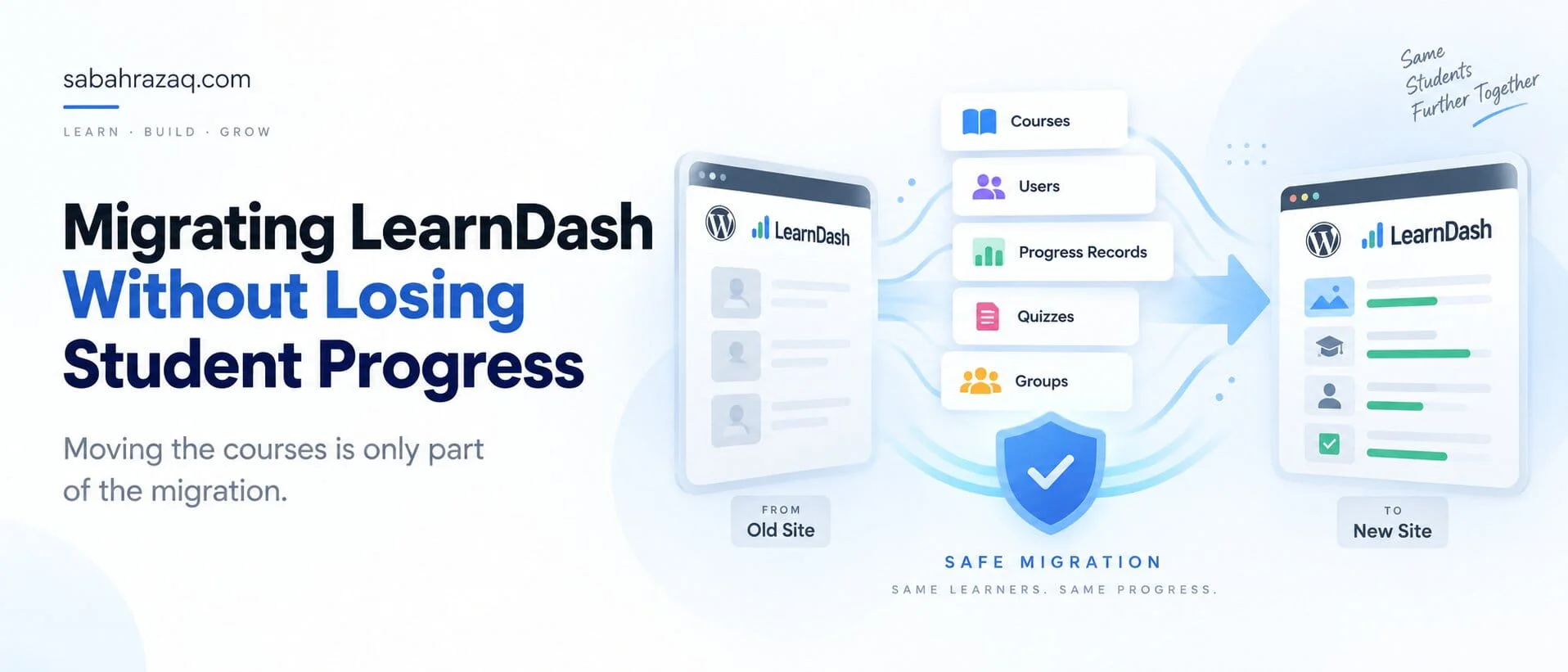
A LearnDash migration is not just about moving courses from one WordPress site to another.
The real risk is everything connected to those courses.
A migration can appear successful because the course pages, lessons, quizzes, and users are all visible on the new site, while student progress, quiz history, enrollment dates, Group membership, or access rules are no longer mapped correctly.
That is why I treat a live LearnDash migration as a data migration first and a website migration second.
The question is not:
“Did the courses move?”
It is:
“Can every learner continue from the same place, with the same access, history, and account state they had before the migration?”
LearnDash Migration: The Short Answer
If you are moving a LearnDash site and it already has active students, the safest approach is to preserve the entire relationship between:
- users
- courses
- lessons
- topics
- quizzes
- course progress
- quiz records
- enrollments
- Groups
- expiration dates
- memberships
- transactions
LearnDash itself distinguishes between moving course content and moving a site while retaining user data. Its documentation says that retaining existing progress and user data is a more involved process and recommends testing the transfer on a development site before doing it on a live LMS.
That distinction is important because a LearnDash platform is not just content.
It is content plus state.
And student state is where migration mistakes become expensive.
Moving Courses Is Not the Same as Moving Student Data
It is possible to move LearnDash course content without moving the learner experience correctly.
For example, you may successfully migrate:
- Course A
- its lessons
- its topics
- its quizzes
but still lose the relationship between that content and the users who were halfway through it.
LearnDash’s current documentation says that its built-in import/export system can export a broad range of LearnDash data, including courses, lessons, topics, quizzes, transactions, Groups, assignments, certificates, users, and other data. It also notes that when the import is completed, course, lesson, topic, quiz, and Group associations are retained.
That is very different from simply exporting content through the normal WordPress tools.
For live platforms, the migration method matters.
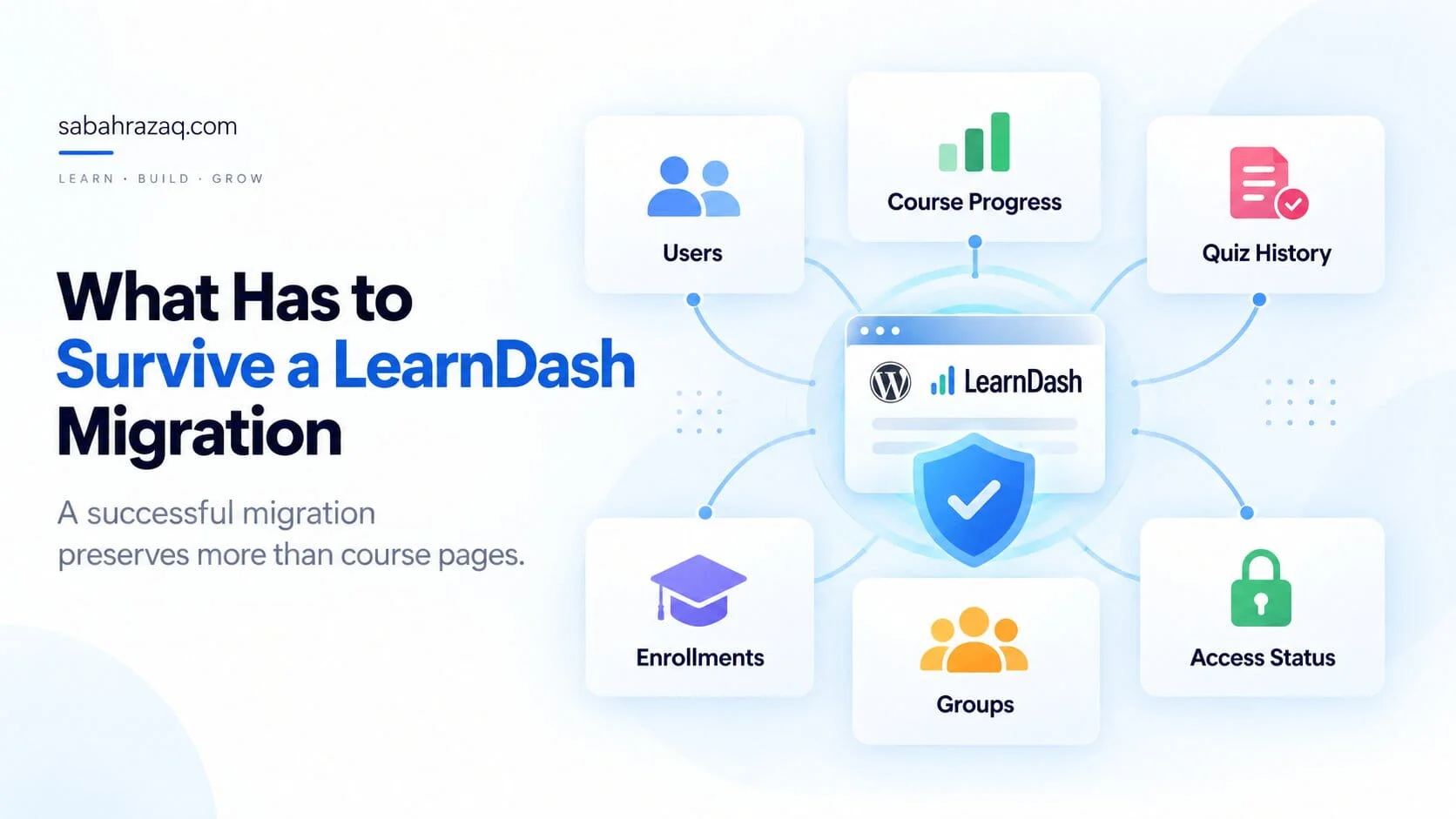
What Has to Survive a LearnDash Migration
When I review a migration, I am not only checking whether the new site contains the same courses.
I am checking whether the student still has the same relationship with those courses.
That includes:
Users
The same learner accounts should exist with the correct IDs, roles, email addresses, and associated LearnDash data.
Course progress
A student who completed 72% of a course should not return after migration and see 0%.
Quiz history
Previous attempts, scores, timestamps, statistics, essays, and other quiz-related records may matter for compliance, certification, reporting, or simply the student experience.
LearnDash’s user-management documentation confirms that quiz information can include score, points, completion date and time, essay status, and statistics where enabled.
Enrollments
A learner needs to remain enrolled in the correct courses after the move.
Groups
If LearnDash Groups are being used for corporate training, cohorts, memberships, reporting, or Group Leader access, those relationships also need to remain intact.
Access status
A student may have:
- active access
- expired access
- a future access date
- drip content based on enrollment
- access through a Group
- access through a membership or purchase
All of that needs to be validated.
The migration is only complete when these relationships still work.
Why Post IDs Matter More Than Most Site Owners Realize
This is one of the most technical parts of a LearnDash migration, but it explains why partial migrations can go wrong.
LearnDash documents that course progress is stored in WordPress user metadata and that this progress references the post IDs of the related courses, lessons, topics, and quizzes. Its documentation specifically notes the _sfwd-course_progress user-meta key and explains that the stored values contain course, lesson, and topic IDs.
In simple terms:
Suppose a student has completed a lesson with WordPress post ID:
24980
Their stored LearnDash progress can reference that ID.
If the lesson is recreated on the destination site and now has a different ID, the content may look identical to you, but the student’s historical progress may no longer point to the right lesson.
That is why I would never assume that rebuilding the same course structure manually guarantees that student progress will follow.
The relationships have to remain valid.
Course Progress and Completion Are Separate Concerns
Progress is not just a percentage shown on a dashboard.
LearnDash tracks completion at multiple levels, including lessons, topics, and course completion.
Its transfer documentation also identifies additional user-meta records related to course completion and expired access.
That means post-migration testing should include users in different states.
For example:
- student who has never started
- student who is 20% complete
- student who is halfway through
- student who completed everything
- student whose access expired
If all five accounts behave correctly on the new site, you have much stronger evidence that the migration worked.
Quiz Attempts Need Their Own Validation
Quizzes deserve separate testing because quiz data can be more complex than simple lesson completion.
A learner may have:
- multiple attempts
- a passing attempt
- a failed attempt
- essay answers
- quiz statistics
- timestamps
- points
- certificates tied to results
LearnDash stores quiz progression separately from course progression, and its documentation notes that quiz data uses its own user-meta structure.
So I would never validate a migration by testing course progress alone.
Open real student accounts and check actual quiz records.
Enrollments and Access Dates Can Affect More Than Visibility
Enrollment dates can affect the behavior of a course.
LearnDash uses enrollment timing for features such as:
- course expiration
- drip-feed scheduling
Its user-management documentation says changing an enrollment date can immediately affect expiration behavior, while Group-based enrollment follows different logic.
That means a migration can technically preserve the user and course but still change when content becomes available.
This matters especially for:
- certification programs
- timed cohorts
- compliance training
- limited-duration access
- scheduled lesson release
Those cases need specific validation.
LearnDash Groups Need to Be Checked Separately
LearnDash Groups are more than a visual grouping of users.
They can control:
- enrollment
- reporting
- course access
- Group Leader visibility
- cohort structure
LearnDash stores user-to-Group relationships separately, and its transfer documentation lists Group-related user metadata as one of the records that needs to be considered when retaining user data.
If the site uses Groups heavily, I would verify:
- which users belong to each Group
- which courses belong to each Group
- Group Leader access
- reporting
- Group-based enrollment behavior
- course expiration or drip logic
A migration can look correct from the student side while still breaking administrative workflows.
Membership and Ecommerce Data Add Another Layer
Many LearnDash sites do not use LearnDash alone.
They use:
- MemberPress
- Paid Memberships Pro
- WooCommerce
- WooCommerce Subscriptions
- Stripe
- custom membership logic
Now the migration has to preserve more than LMS data.
A user may be enrolled because:
- they purchased a product
- they have an active subscription
- they belong to a membership tier
- a custom integration granted access
If the LMS data moves but the commerce or membership state does not, you can end up with users who have the wrong access after launch.
This is where I would review the full course, membership, and payment flow rather than looking at LearnDash in isolation.
BuddyBoss Data Makes the Migration Broader Again
If BuddyBoss is part of the platform, the migration scope expands.
Now there may also be:
- community Groups
- activity
- messages
- notifications
- profile data
- member relationships
- media
That data is separate from LearnDash progress.
So a LearnDash + BuddyBoss migration should be treated as a platform migration rather than a course transfer.
If both systems are involved, I would first make sure their responsibilities are clearly separated. I covered that in LearnDash + BuddyBoss: How the Architecture Should Actually Work.
What the LearnDash Import/Export Tool Can Move
LearnDash’s built-in import/export tool is the current recommended route for moving an existing LearnDash setup between sites.
According to LearnDash, the export can include:
- courses
- lessons
- topics
- quizzes
- questions
- transactions
- Groups
- assignments
- essays
- certificates
- coupons
- users
- settings
- other LearnDash data
The import process is designed to retain the relevant associations between LearnDash content types and Groups.
That makes it much more appropriate than manually rebuilding the LMS when user data must be preserved.
But it still does not remove the need for testing.
A successful import message is not the same thing as a verified production migration.
Do Not Confuse the LearnDash Migration Add-On With a Full LearnDash Site Migration
This is an important distinction.
LearnDash also has a Migration add-on.
That tool is for moving course content from other LMS platforms such as:
- Tutor LMS
- LearnPress
- Sensei LMS
- LifterLMS
into LearnDash.
LearnDash explicitly states that this add-on does not migrate:
- course progression
- course metadata such as categories, tags, and custom fields
- media
So if you are moving from Tutor LMS to LearnDash, for example, do not assume the migration tool will also carry across every learner’s historical progress.
That is a separate data problem.
Full-Site Migration Is Often Safer Than Rebuilding Pieces
If the objective is simply:
move the existing LearnDash platform to another host
then a full-site migration may be much safer than recreating LearnDash components individually.
A full migration can preserve:
- database records
- WordPress post IDs
- user IDs
- LearnDash metadata
- plugin configuration
- media
- custom code
- integrations
That reduces the number of relationships you need to reconstruct manually.
LearnDash itself recommends creating a complete offsite backup before moving away from LearnDash Cloud and mentions full-site migration tools as one option when changing hosts.
But even a full-site migration has one major challenge:
live data keeps changing.
Why Selective LearnDash Migration Is More Dangerous
Selective migrations become harder because you are separating data that was originally connected.
For example, moving only one course can involve relationships with:
- its lessons
- topics
- quizzes
- users
- progress
- Groups
- assignments
- certificates
- membership rules
LearnDash currently notes that its built-in import/export tool does not directly provide a simple one-course export workflow. It suggests manual recreation or database-level work as alternatives, with the latter requiring technical knowledge and caution.
This is why I would scope a selective migration very carefully.
Sometimes it is easier to move the whole system safely than to surgically extract one part of it.
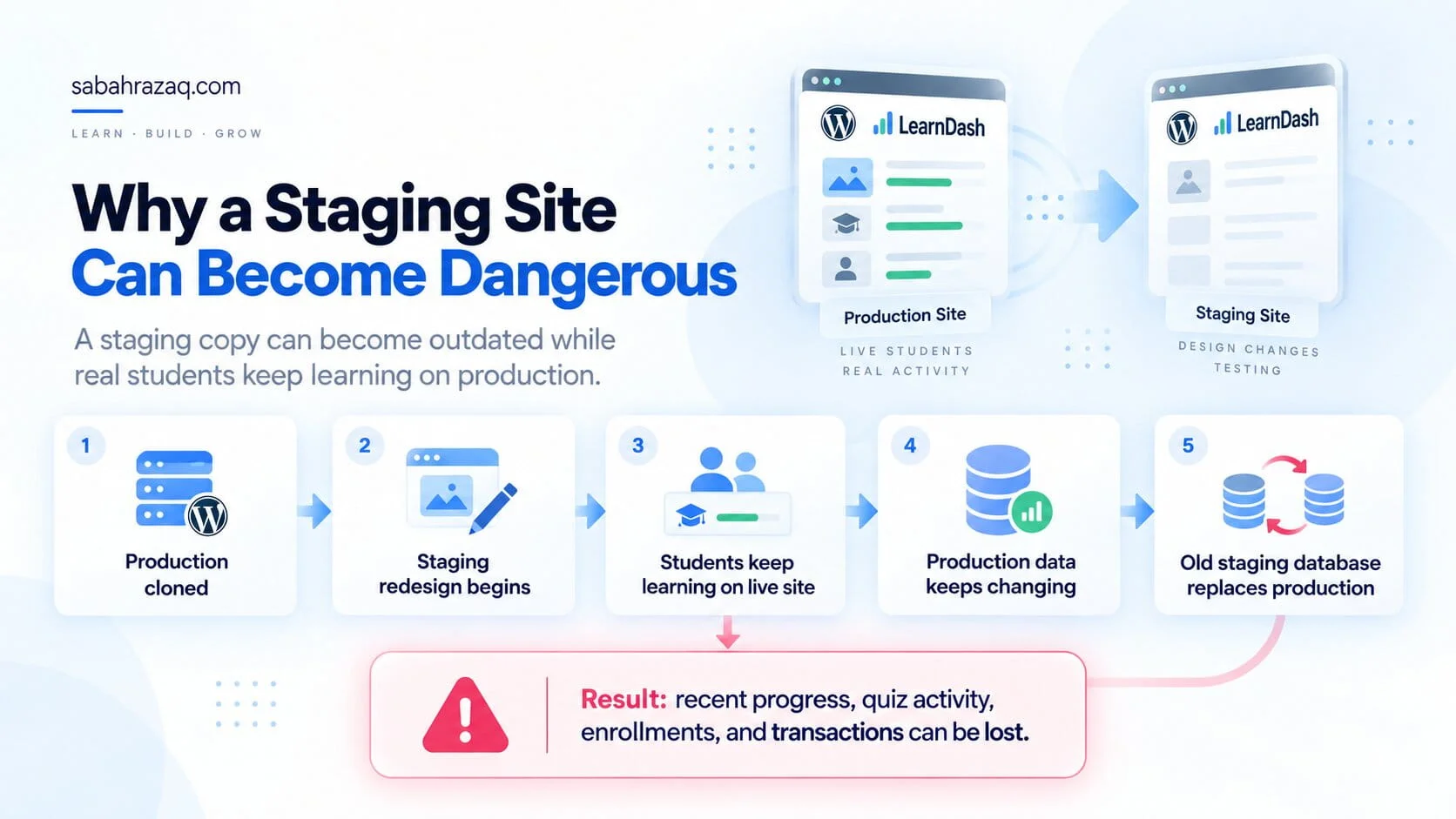
Staging to Production Is Where Many Migrations Become Dangerous
One of the most common migration risks has nothing to do with the initial copy.
It happens later.
Imagine this:
Week 1
The production site is cloned to staging.
Week 2
A redesign begins.
Pages, templates, CSS, and course layouts are changed on staging.
Week 3
Students are still using production.
They:
- complete lessons
- take quizzes
- purchase access
- join Groups
- submit assignments
Week 4
The redesign is finished.
Someone pushes the entire staging database back over production.
Now everything that happened on production after the original clone is at risk.
That can include:
- student progress
- quiz attempts
- new registrations
- enrollments
- orders
- membership changes
- form submissions
- BuddyBoss activity
The staging copy was technically correct when it was created.
It simply became outdated.
Static Data and Live Data Should Be Treated Differently
This is the key idea behind a safer staging workflow.
Some site data changes slowly.
Examples:
- page layouts
- theme files
- CSS
- templates
- static content
Other data changes every day.
Examples:
- users
- course progress
- quizzes
- purchases
- subscriptions
- messages
- activity
- enrollments
I would not handle both categories the same way during final deployment.
If a redesign only changes front-end files and templates, there may be no reason to overwrite the entire live database.
That is why the deployment strategy should be decided before the staging work begins.
What Happens to New Student Activity During Migration?
This question should always be answered before cutover:
What happens if a student completes a lesson while the final migration is running?
There are several possible approaches depending on the platform and scope:
- brief maintenance window
- temporary pause on purchases
- final database sync
- incremental migration
- carefully selected table/data synchronization
- short period of read-only access
The right approach depends on how much live activity the site receives.
A training site with five active students is very different from a commercial LMS with hundreds of concurrent learners.
The goal is to make the period where two copies of the database are diverging as small as practical.
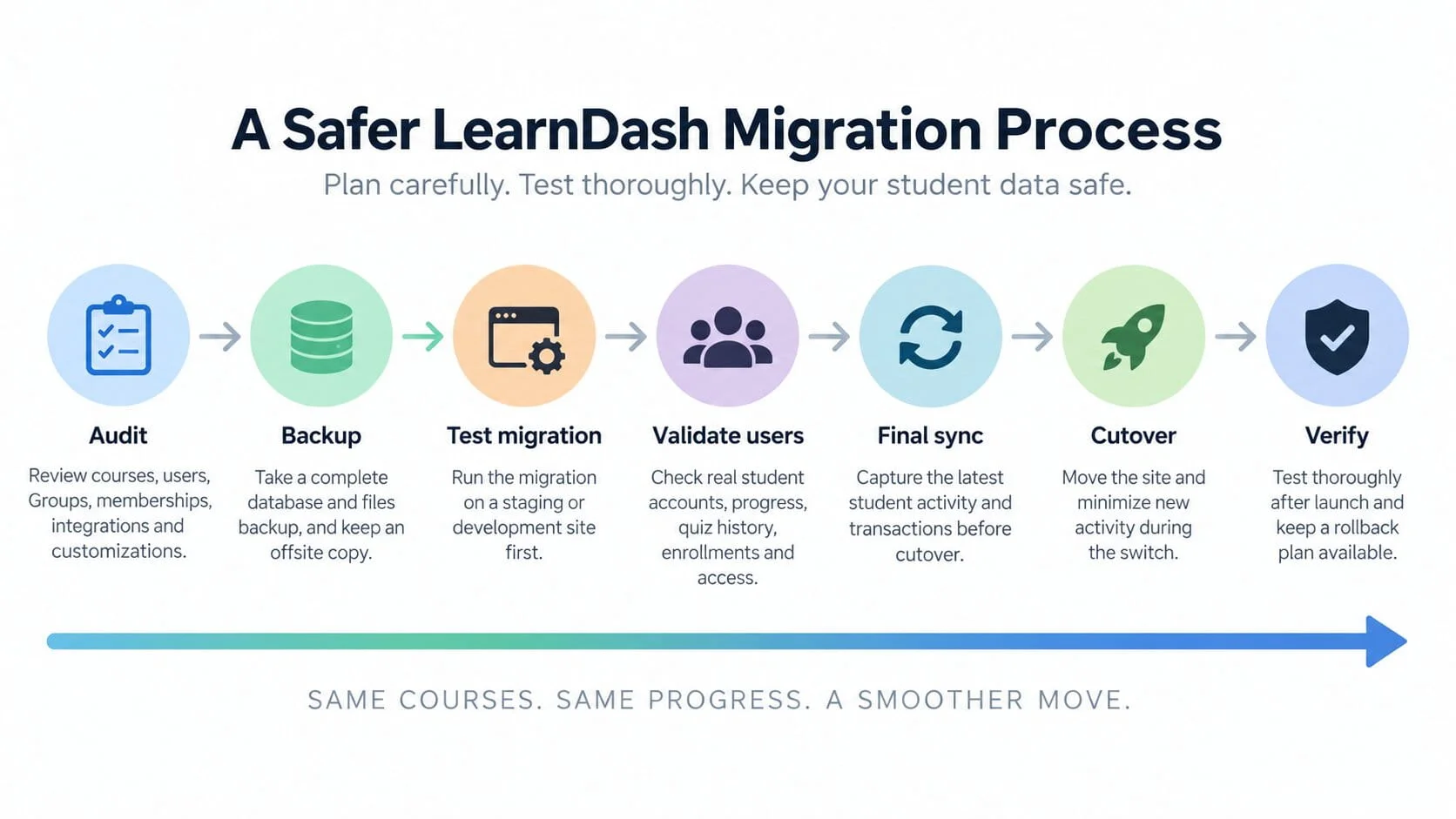
A Safer LearnDash Migration Process
For a live LearnDash platform, I would generally structure the migration around seven stages.
1. Audit
Before moving anything, document the platform.
Check:
- LearnDash version
- WordPress version
- PHP version
- courses
- Groups
- users
- memberships
- ecommerce
- BuddyBoss
- custom code
- integrations
- scheduled jobs
- reporting
- hosting
The migration plan should reflect the actual system, not just the plugins visible in WordPress.
2. Backup
Take a complete backup of:
- database
- uploads
- themes
- plugins
- custom code
- configuration
Keep at least one copy off the existing server.
LearnDash recommends an offsite full-site backup before moving away from LearnDash Cloud.
I would apply the same principle to any important production migration.
3. Test Migration
Perform the migration away from production first.
LearnDash specifically recommends practicing data-retaining transfers on a development site before attempting the process on a live site.
That test is where you discover:
- import failures
- plugin conflicts
- broken relationships
- permission issues
- performance problems
- missing media
- unexpected ID changes
without affecting real students.
4. Validate Users
Do not test only as administrator.
Choose representative student accounts.
I would test at least:
- newly enrolled student
- partially completed student
- completed student
- student with quiz attempts
- Group member
- expired user
- active paid member
Then compare the source and destination.
5. Final Sync
Once staging is approved, identify what changed on production after the original migration.
That may include:
- users
- progress
- quiz activity
- transactions
- memberships
- Group membership
Bring that current data into the final cutover plan.
6. Cutover
Keep the final change window as controlled as possible.
This may involve temporarily limiting:
- purchases
- course activity
- registrations
- administrative edits
Then perform the final migration or sync.
7. Verify
Immediately after launch, verify:
- login
- enrollments
- progress
- quizzes
- Groups
- memberships
- purchases
- certificates
- reporting
- integrations
And keep the previous environment available long enough to support rollback if something unexpected appears.
What I Would Test Before Changing DNS
Before pointing the domain to the destination server, I would test the new site using a temporary URL, hosts-file mapping, or another suitable preview method.
The checks would include:
Account access
Can existing users log in?
Course access
Can they see the right courses?
Progress
Is their completion state accurate?
Quizzes
Are previous attempts visible?
Groups
Are users and Group Leaders assigned correctly?
Memberships
Does an active membership still unlock the expected content?
Purchases
Are relevant orders and transactions present?
Expiration
Do expired users remain expired?
Are transactional emails functioning?
Integrations
Do CRM, Stripe, WooCommerce, membership, SSO, and other integrations still behave correctly?
I would only treat the site as ready when these tests pass.
Common LearnDash Migration Mistakes
There are a few patterns I would avoid.
Rebuilding courses manually without considering progress
The new course may look identical while using different WordPress IDs.
That can break historical progress relationships.
Migrating only the LearnDash plugin data
The LMS may depend on membership, commerce, BuddyBoss, custom fields, automation, and other systems.
Pushing an old staging database to production
This can erase activity that happened after staging was created.
Testing only as administrator
Admins can access content differently from real students.
Test real learner accounts.
Assuming a successful import means everything is correct
Imports need functional validation.
Changing too many things during migration
If you simultaneously:
- move host
- redesign
- change membership plugin
- change checkout
- restructure courses
- upgrade LearnDash
then diagnosing problems becomes harder.
I prefer separating major architectural changes where practical.
When Database-Level Migration Is Necessary
There are cases where database-level work becomes necessary.
For example:
- only part of the LMS is moving
- source and destination are already different
- user IDs must be reconciled
- post IDs have changed
- custom tables are involved
- plugins store related data outside LearnDash
- live production data must be merged into a rebuilt staging environment
LearnDash itself notes database export as a technical workaround for more selective transfers and warns that it requires database knowledge.
This is not the point where I would experiment directly on production.
The migration should be scripted, documented, tested, and repeatable.
Performance Is Sometimes the Reason for the Migration
Many LearnDash migrations happen because the existing site has become slow or unstable.
If that is the reason for the move, migrating the same database and architecture to another server may not solve the underlying problem.
Before migrating, I would determine whether the issue is:
- hosting
- database load
- plugin conflicts
- object caching
- reporting
- front-end weight
- architecture
I covered that separately in Why LearnDash Websites Become Slow and What Actually Fixes Them.
A migration is a good opportunity to improve infrastructure.
It should not be used to hide an unresolved bottleneck.
A Migration Can Also Be an Architecture Decision
Sometimes the project begins as:
“We need to move LearnDash.”
But the deeper requirement turns out to be:
- simplify memberships
- separate BuddyBoss responsibilities
- rebuild checkout
- improve reporting
- move to better hosting
- remove old plugins
- clean up access rules
At that point, it is no longer just a technical transfer.
It is an architecture project.
That can be valuable, but it needs to be scoped differently.
A simple host-to-host move and a full LMS rebuild should not be priced or planned as the same project.
For broader planning, see How Much Does a LearnDash Website Really Cost in 2026?.
Final Recommendation
A successful LearnDash migration should feel uneventful to the student.
They should log in after the move and find:
- the same account
- the same courses
- the same progress
- the same quiz history
- the same Groups
- the same access
That is the standard I would use.
Do not validate the migration by asking:
“Is the new site online?”
Ask:
“Can our existing students continue exactly where they left off?”
If the answer is yes, the migration has preserved the part of the LMS that matters most.